
If an Aures Yuno device becomes unresponsive often and unexpectedly, check first that the power input jack of the device is connected properly.
First, open the back cover of the device.
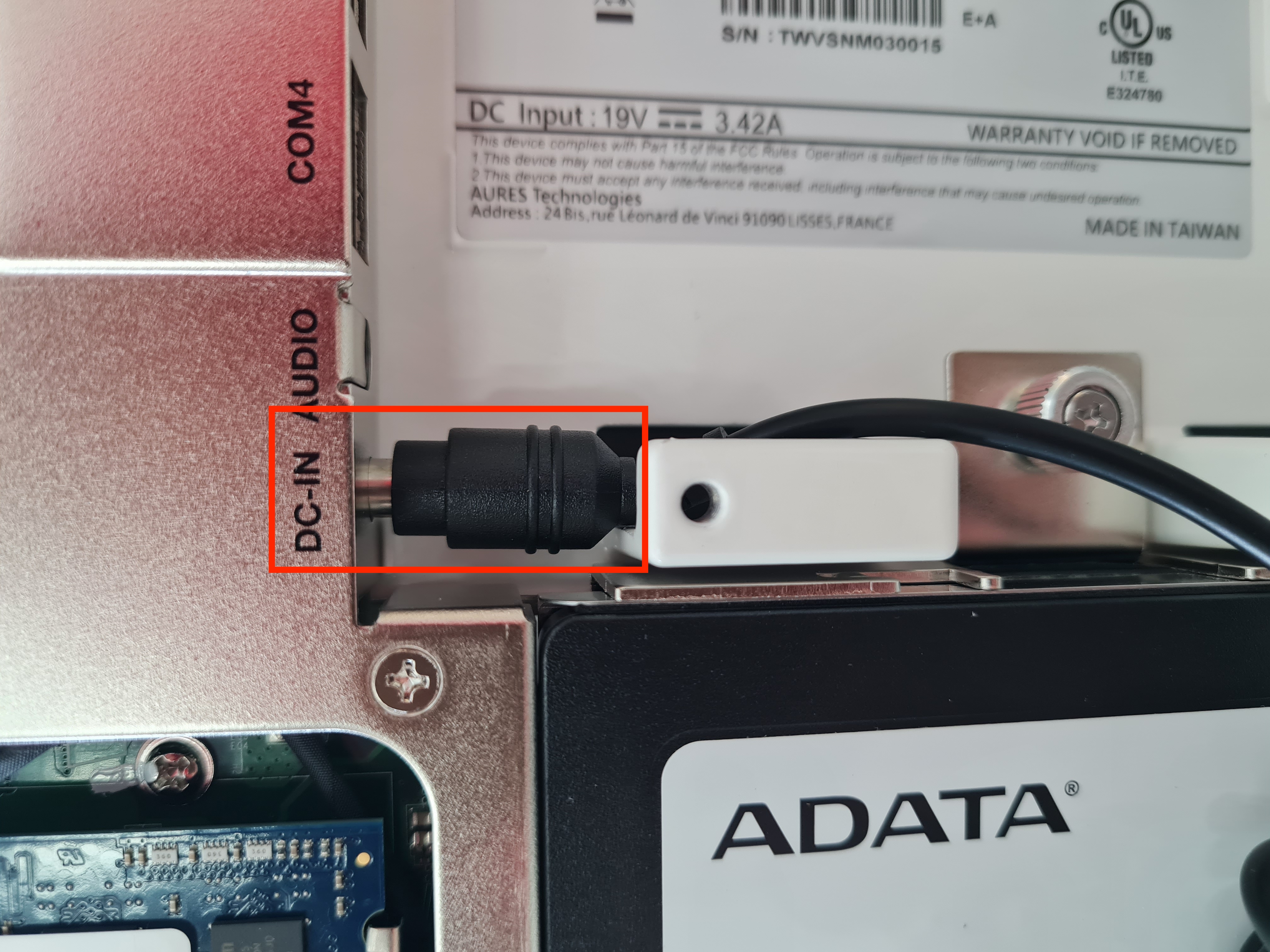
Then, check the power input (DC-IN) jack connection.
The following image shows how a correctly connected DC-IN jack should look like.
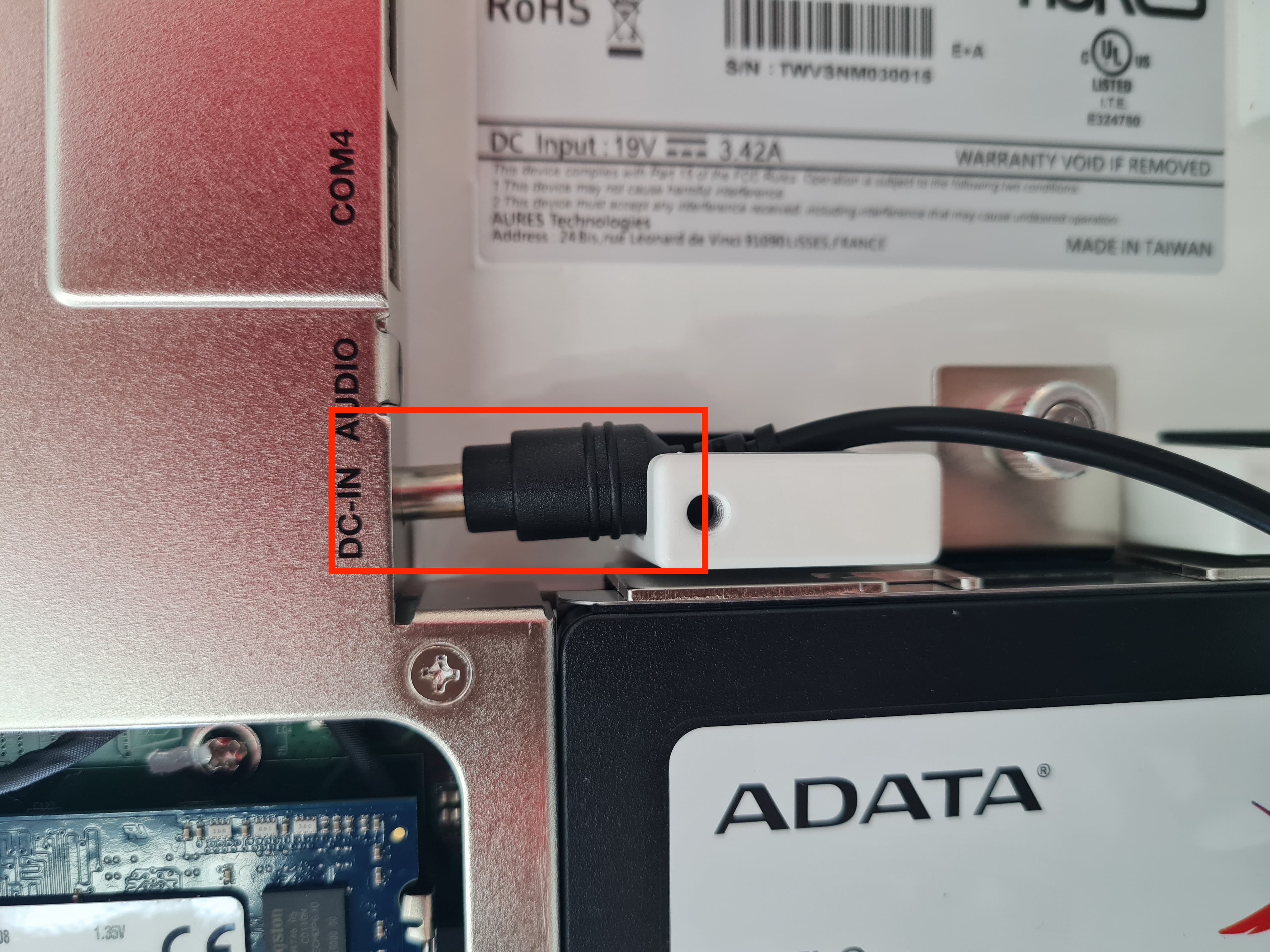
The following image is an example of an incorrectly connected DC-IN jack.
When you have checked/corrected the input jack connection, close the back cover.