
Authorization is required to integrate with Solteq REST API. Solteq uses OAuth2 protocol.
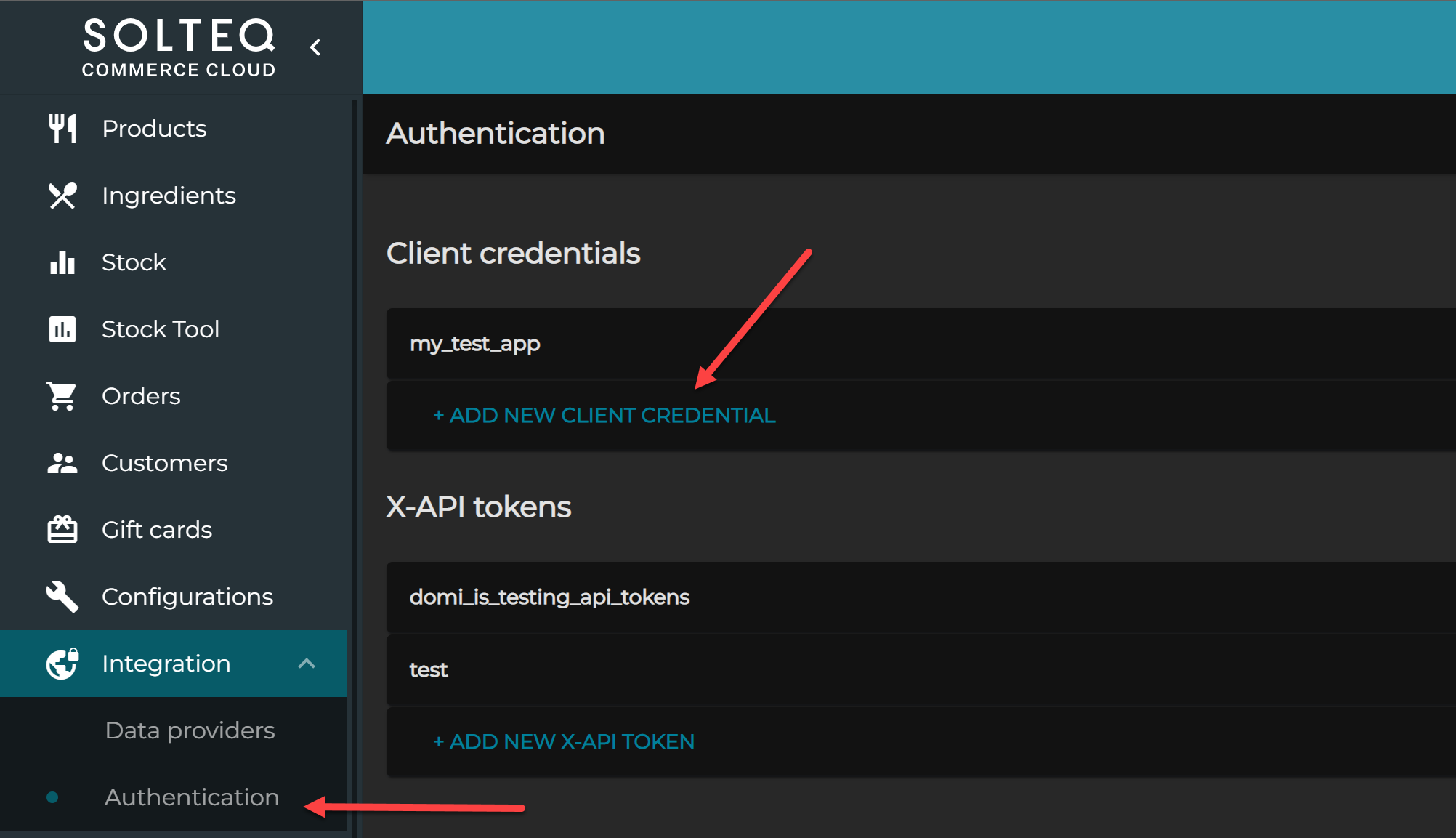
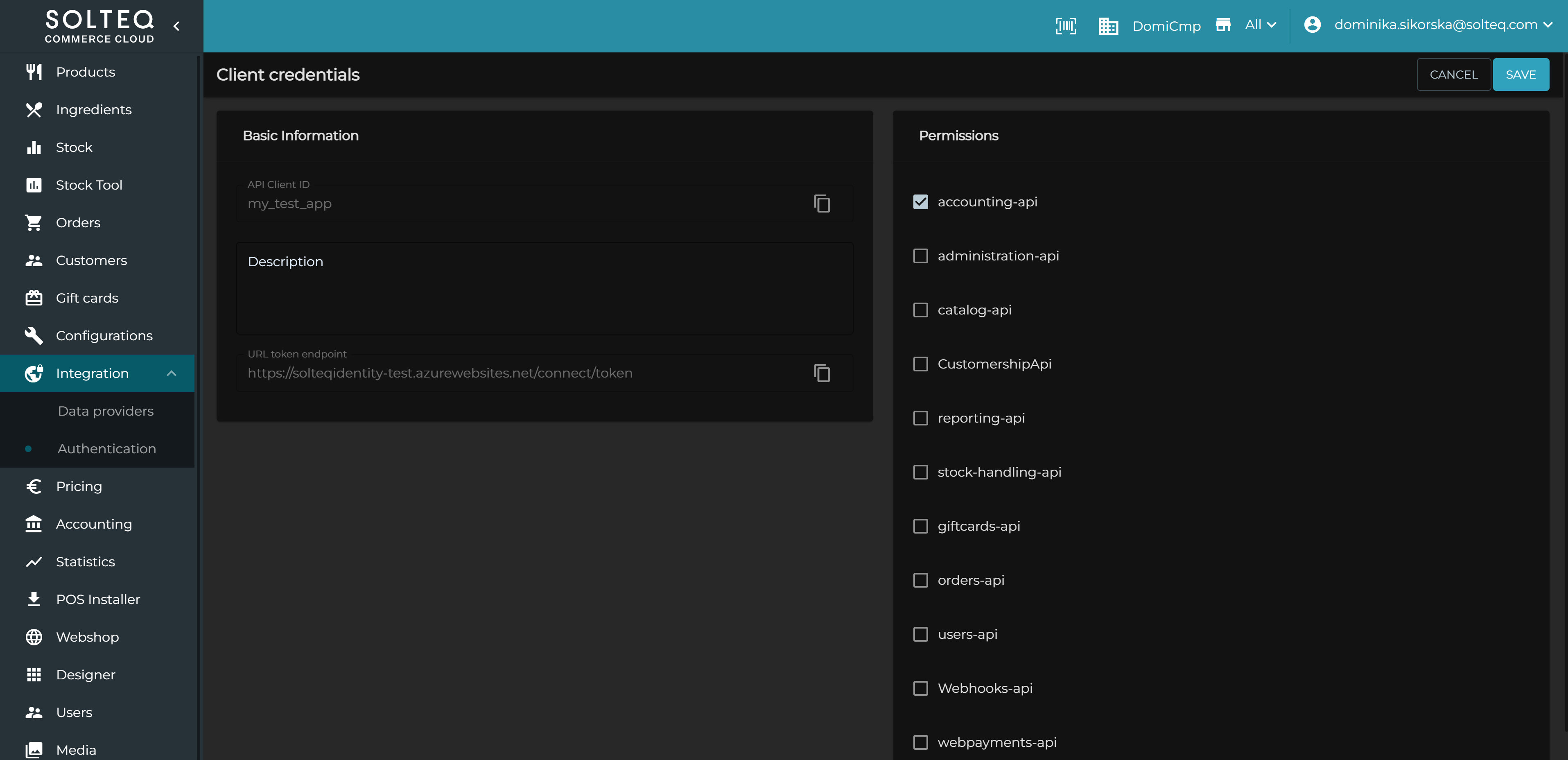
First you need to register a new client credential. You will receive client token which will be used to obtain a JSON Web Token (JWT). Depending on the permissions, you can request different resources.
Here is the URL to obtain the JWT:
POST https://login.smartretail.cloud/connect/token
CONTENT-TYPE application/x-www-form-urlencoded
client_id=client1&
client_secret=secret&
grant_type=client_credentials&
scope=administration-api
client_id
client identifier (Required: Either in the body or as part of the authorization header.)
client_secret
client secret (either in the post body, or as a basic authentication header).
grant_type
client_credentials
scope
one or more registered scopes.
Example below:
curl --location --request POST 'https://login.smartretail.cloud/connect/token' \
--header 'Content-Type: application/x-www-form-urlencoded' \
--data-urlencode 'client_id=INTEGRATION_CLIENT' \
--data-urlencode 'client_secret=wg4gOfdWICo+LUNlchbRX+wdu0OCtubV' \
--data-urlencode 'grant_type=client_credentials' \
--data-urlencode 'scope=catalog-api'
After you receive the JWT, you can request our REST APIs. The token should be passed in the header as Authorization: Bearer the_token_is_here
If you change the Description in Client Credentials, the old authentication token will be discarded, and a new token will be created.