
To either void, refund, reprint or copy a receipt in the Mobile POS application, select Orders from the menu, and then select an order from the Orders list.
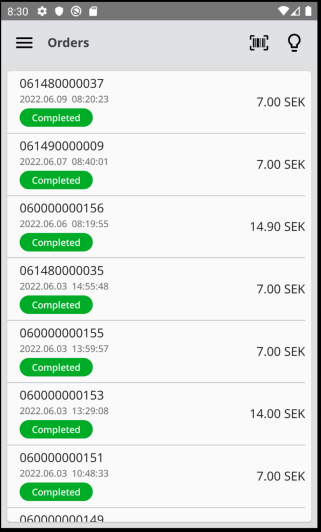
After selecting an order, the Order details window is displayed.
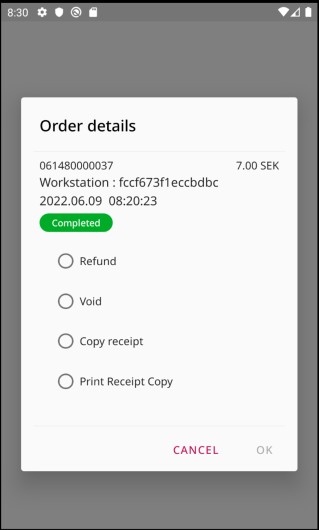
Next, select one of the four actions and the run it by clicking OK:
-
Refund: Create a refund order.
-
All the products from the selected order will be automatically added to the basket, and you will be redirected to the basket details view.
-
Because this is a refund, the quantities of the products and the total amount of the basket will be negative.
-
To complete the refund, select a payment method and complete the order as in normal sales.
-
-
Void: Cancels the order
-
If the order was paid using a card payment, you will be redirected to the Verifone payment application, and will proceed with the voiding there.
-
-
Copy receipt: Copy all the products from the selected order and add them to the basket.
-
Print Receipt Copy: Print a copy of the receipt.