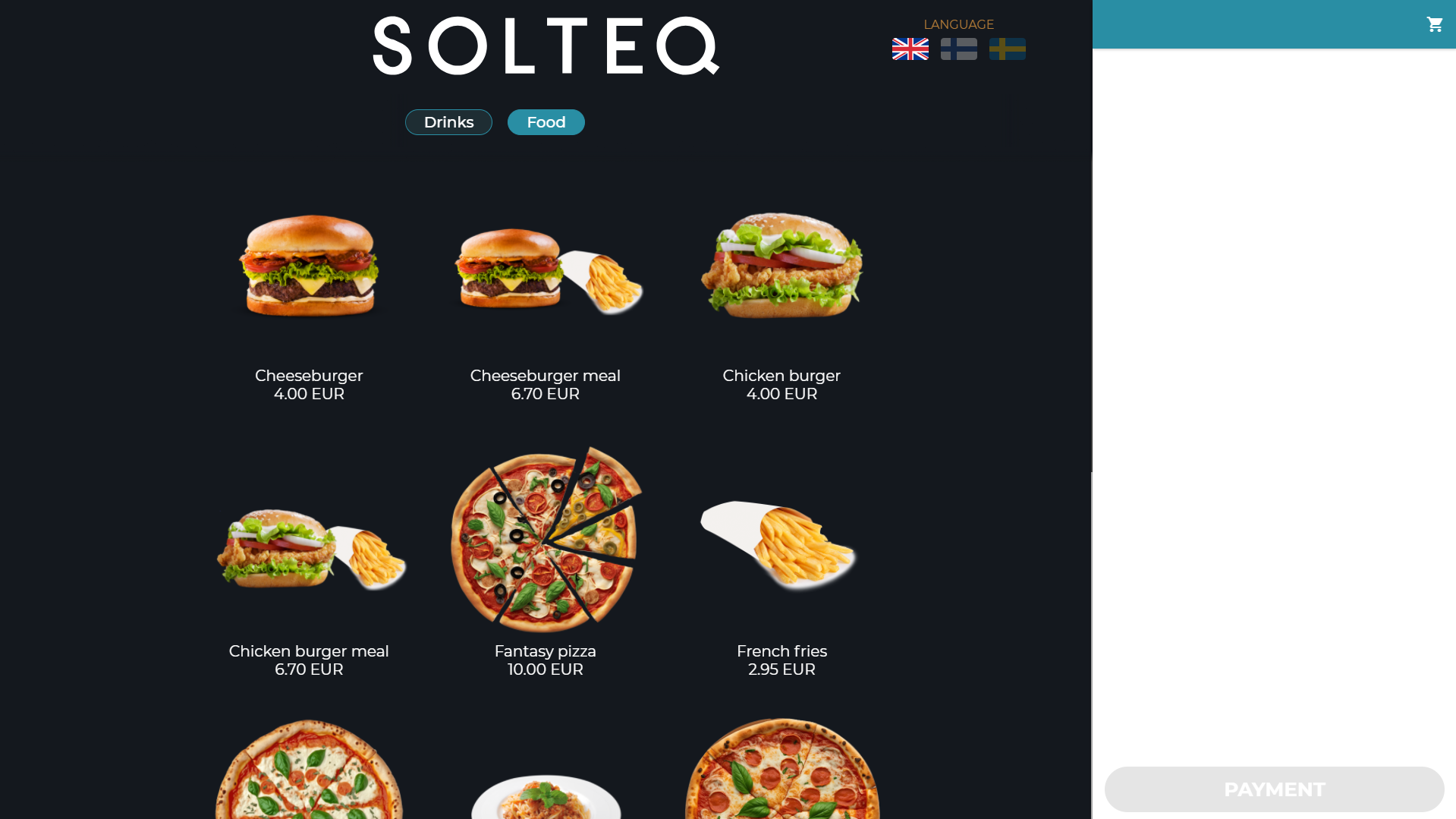
The POS layout for restaurant Kiosk screens displays the products available for purchase.
Custom Kiosk Layouts
You can create and modify custom Kiosk layouts in the Kiosk tab of the Designer view in the Back Office. See Kiosk Layout for more information.
Legacy Kiosk Layout
If you have not taken a custom Kiosk layout into use, the products will be grouped to different tabs based on the categories of the default category type (selected in the Kiosk Service settings), and listed in alphabetical order.
-
Create a separate assortment of products/product categories which will be displayed in your Kiosks; products not included in the assortment will not be displayed.
-
You also need to select the assortment in the Store Configurations of the Store where the Kiosks are located.
-
-
If a product does not belong to any category in the default category type selected in Kiosk Service settings, the product will not be displayed in the Kiosk menu. However, if the product details contain an SKU identifier, the product can be found by scanning its barcode.
-
The product images displayed in Kiosk are the same images added to product details in the Back Office.