
A hotfix package will be released today September 9th, 2026 to Solteq Commerce Cloud. It will fix a problem that caused ingredient and product option selections to be missing from the final receipt in certain circumstances. The hotfix is applied to the Kiosk module only. Back Office, POS (normal & pilot), Mobile POS and the integrated webshop will all be functioning normally and without any interruptions.
for Retail and Restaurant
Breadcrumbs

Screen Resolution Recommendations for Back Office Usage

The recommended resolution for Commerce Cloud usage is 1920 x 1080 (Full HD). Scaling should be set to 100%. With bigger resolution and/or scaling, the usability of the user interface may be affected adversely. We recommend adjusting the scaling in such a manner that Back Office is displayed as in the example below.
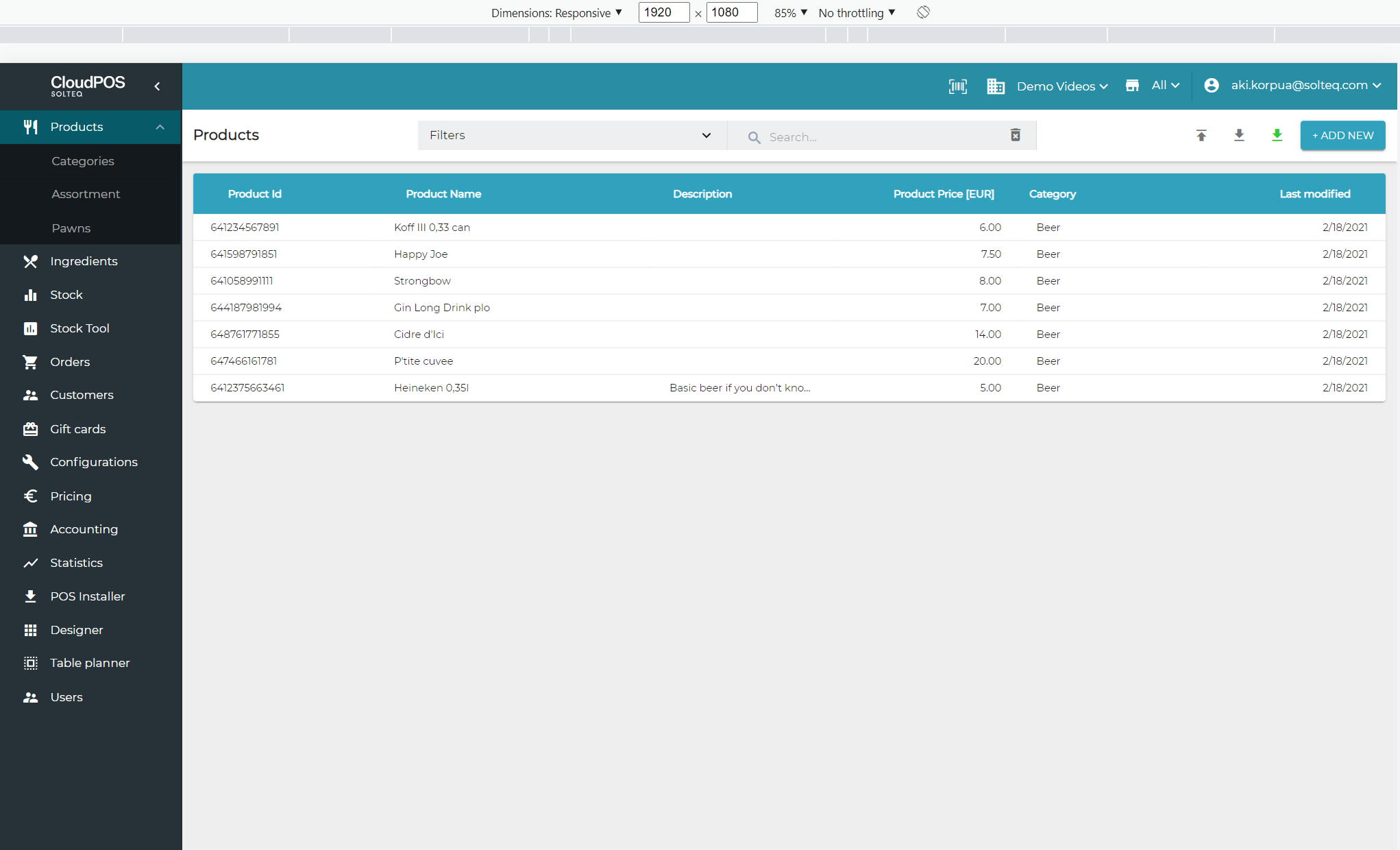
image006.png
Example: Back Office displayed with resolution and scaling with recommended values

Back office display will not be optimal when using resolution such as 1366 x 768 and the menu is visible, because that prevents the tables to be displayed fully.
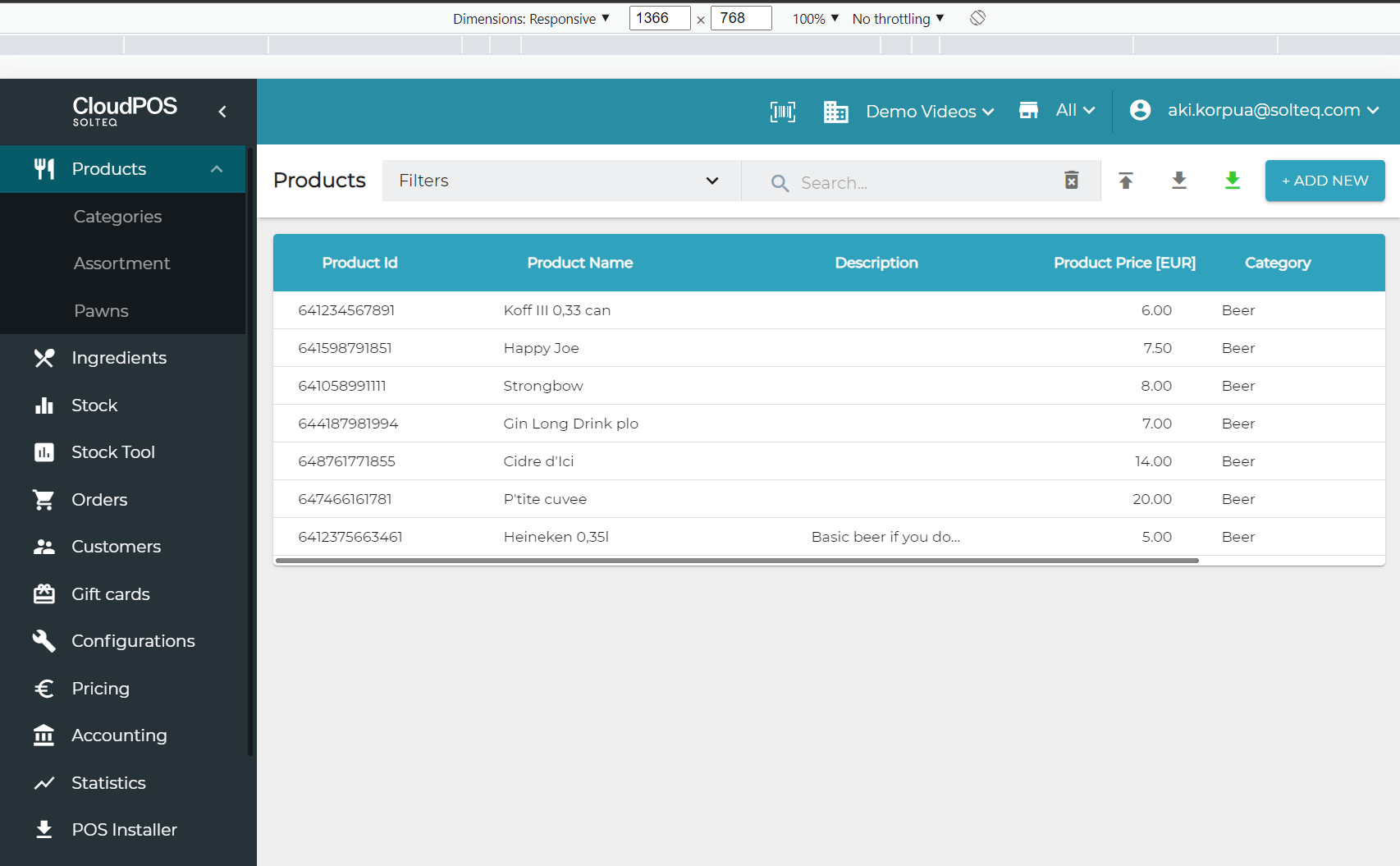
image004.png
Example: Back Office displayed with resolution 1366 x 768

If you are using the aforementioned resolution, we recommend hiding the menu.
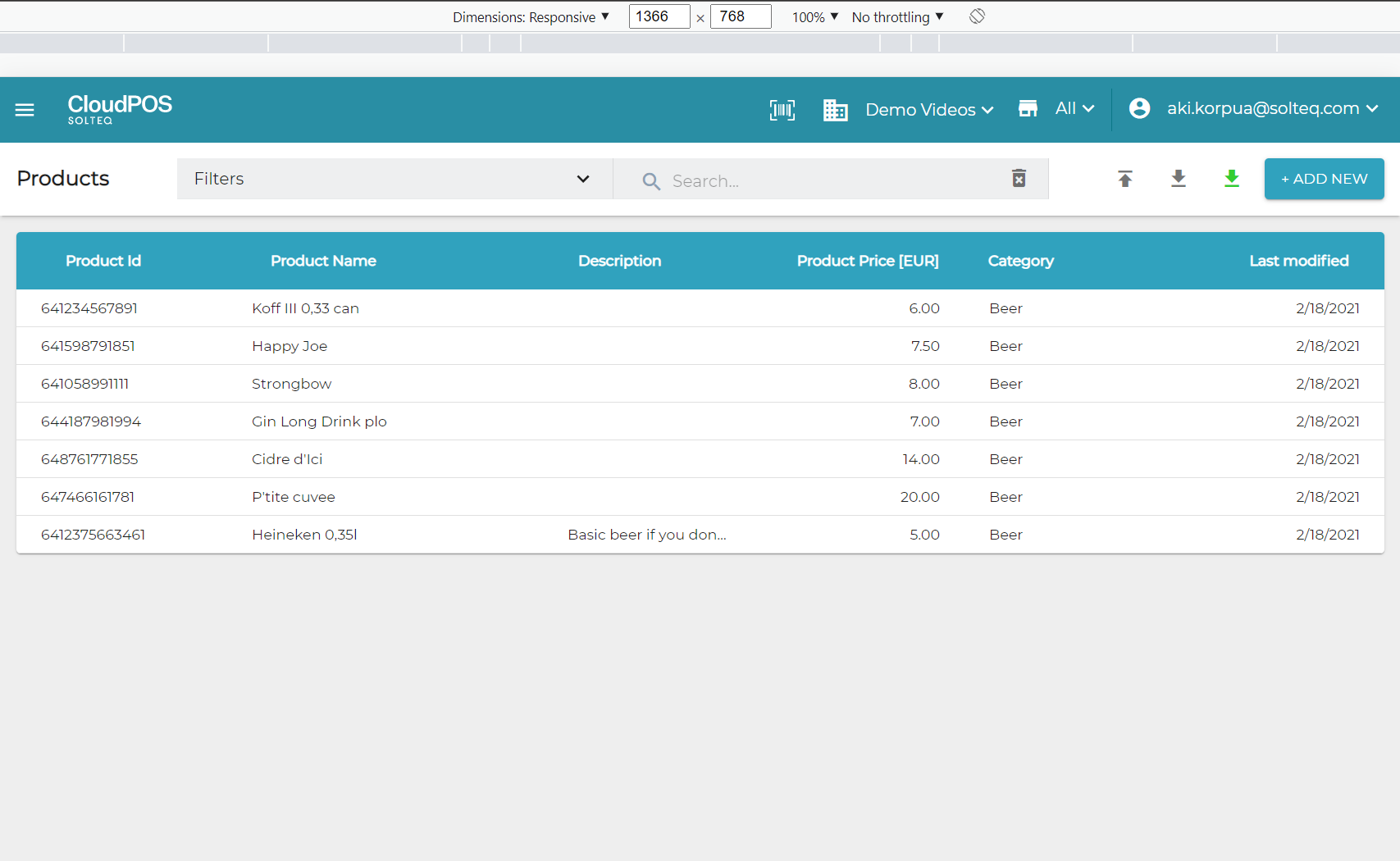
image005.png
Example: Back Office displayed with resolution 1366 x 768 with menu hidden

Table mode is activated when the resolution is set to 1024 x 768: text buttons are converted into icons.

image005.png
Back Office in tablet mode

Mobile mode is activated when the resolution is set to be less than 960 pixels: the format of tables is converted from lists to tiles.
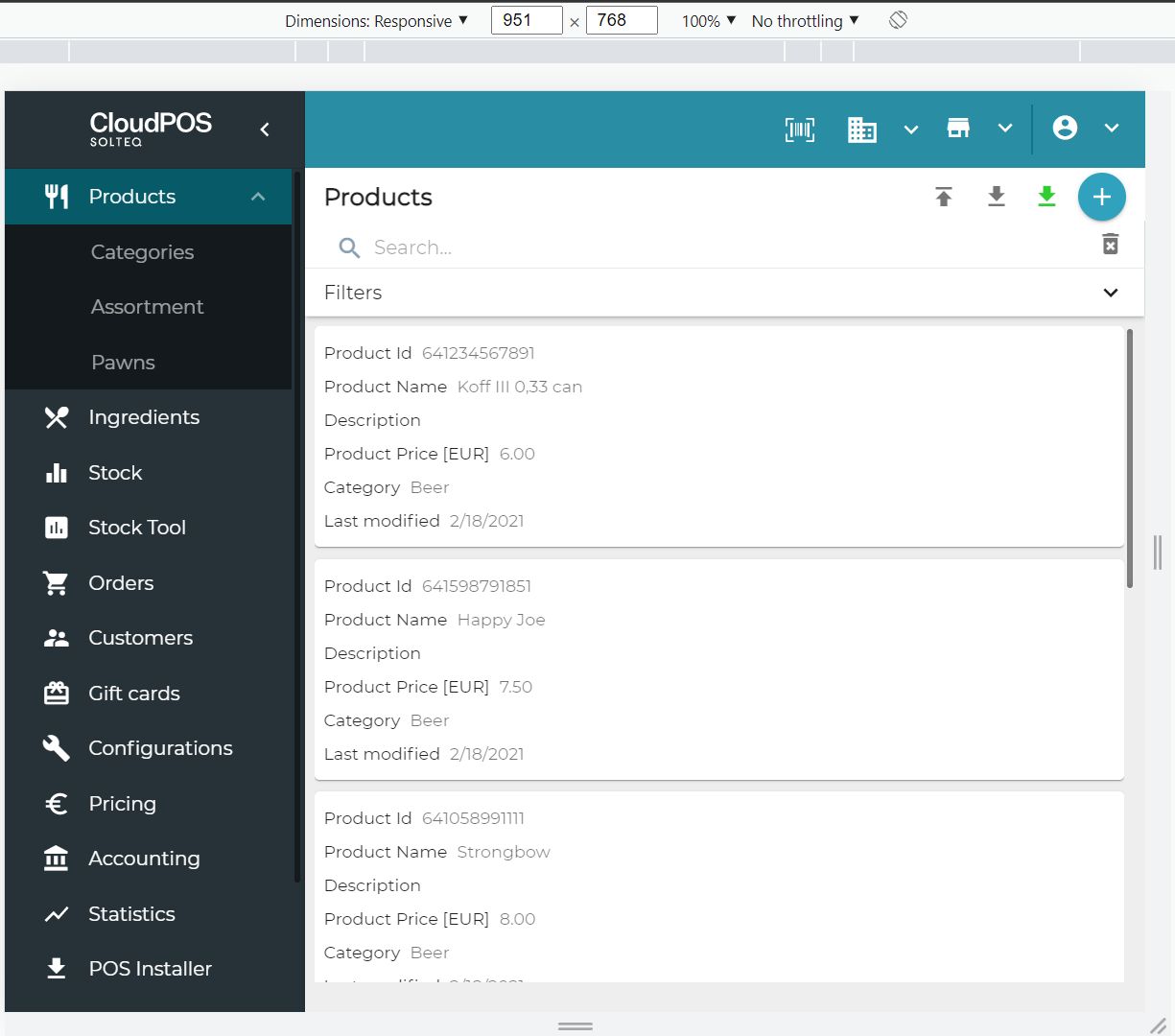
image003.png
Back Office in mobile mode