A hotfix package will be released today September 9th, 2026 to Solteq Commerce Cloud. It will fix a problem that caused ingredient and product option selections to be missing from the final receipt in certain circumstances. The hotfix is applied to the Kiosk module only. Back Office, POS (normal & pilot), Mobile POS and the integrated webshop will all be functioning normally and without any interruptions.
for Retail and Restaurant

Hävikin luominen Varastotyökalun avulla

  1. Valitse Ulos-välilehti sekä varasto, jolle hävikkiä luodaan.

  2. Klikkaa nuolikuvaketta Varasto ulos -tekstin vieressä ja valitse tapahtumalle Syykoodi.

  3. Klikkaa viivakoodikuvaketta ja skannaa tuotteen viivakoodi, tai syötä sen SKU-tunnus Etsi tuote… -kenttään.
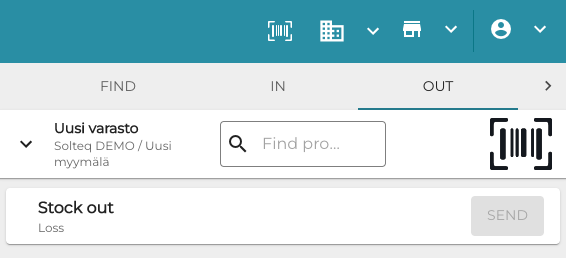
    Stock Out.png
    Varastotyökalun Ulos-välilehti
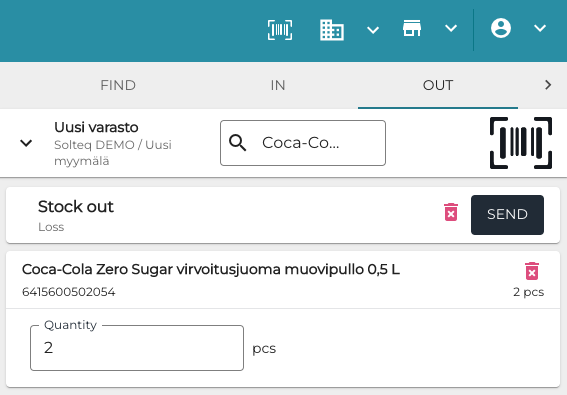
  4. Syötä tuotehävikin Määrä.

    Enter quantity stock out.png
    Hävikin määrän syöttäminen
  5. Toista tarvittaessa kohdat 4–6 lisätäksesi muita tuotteita hävikkiin.

  6. Klikkaa lopuksi Lähetä tallentaaksesi muutoksesi.