
To reauthenticate a POS you need valid credentials to Solteq Commerce Cloud Back Office.
If the actions mentioned on this page do not resolve the issue, please contact Solteq Customer Service:
-
Phone: 09 5422 5421
-
Email: asiakastuki@solteq.com
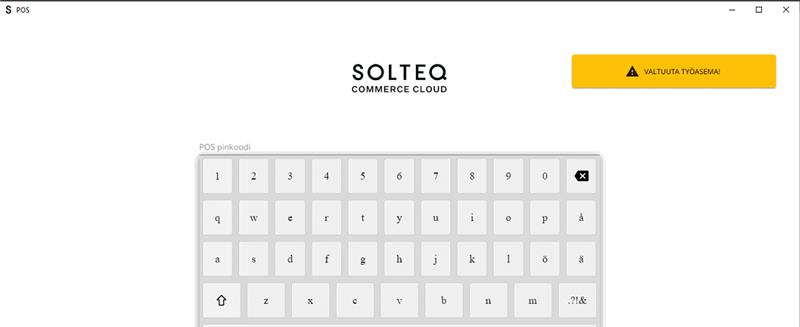
If the POS requires reauthentication (displays a yellow error message on the login screen), take the following steps to resolve the matter.
-
Click on the yellow notification.
-
The POS will open the Solteq Commerce Cloud Sign in page in a web browser.
-
Log in with your credentials.
-
Once you have logged in, the browser will let you know if the authentication is complete, and the error message should disappear from the POS.