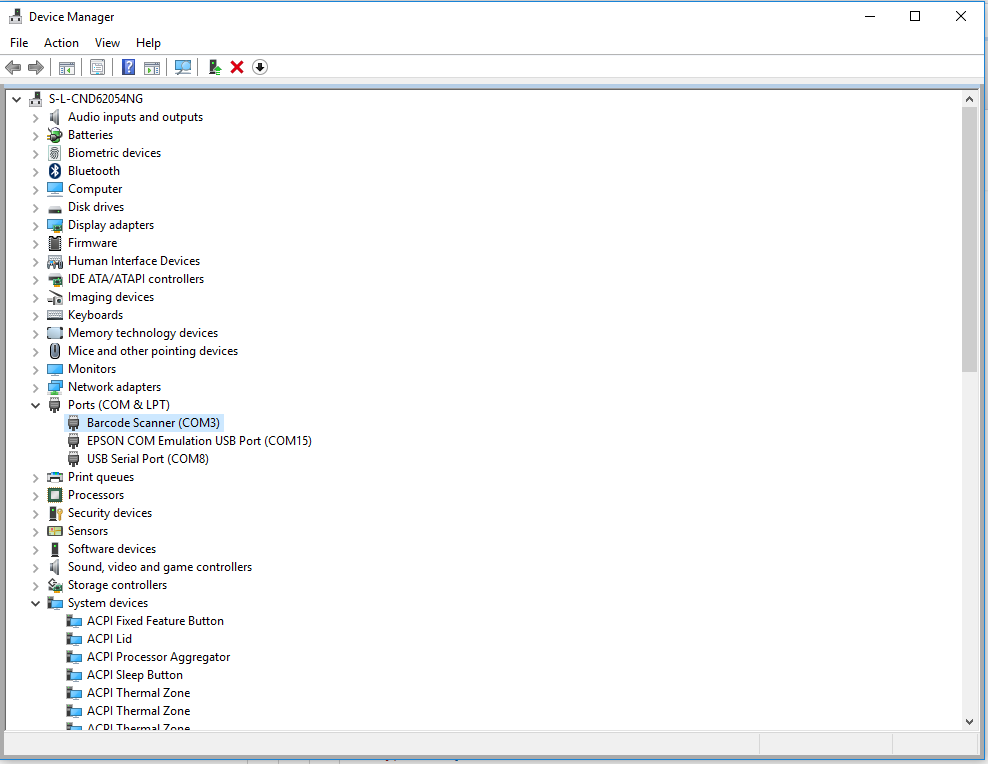
For barcode reading needs than cannot be met by Setting Up the Barcode Scanner for POS and Back Office, you can set up a separate Input Device for the machine. This way the barcode reader is fully dedicated to the POS application. The scanner is configured for COM port, has a line feed as suffix, and can only be used from POS. Solteq POS currently supports simple COM and OPOS settings for barcode readers.
-
HP HR2150 Configuration: HP HR2150 Solteq Commerce Cloud POS Configuration for Simple COM.
-
HP/Datalogic configuration: Setup COM port and possibly disable AIM/Label IDs; see Quicksetup_QD2100. In addition, install Virtual COM driver
To activate POS listening on barcode devices, the following object needs to be added to the workstation’sInput Service settings.
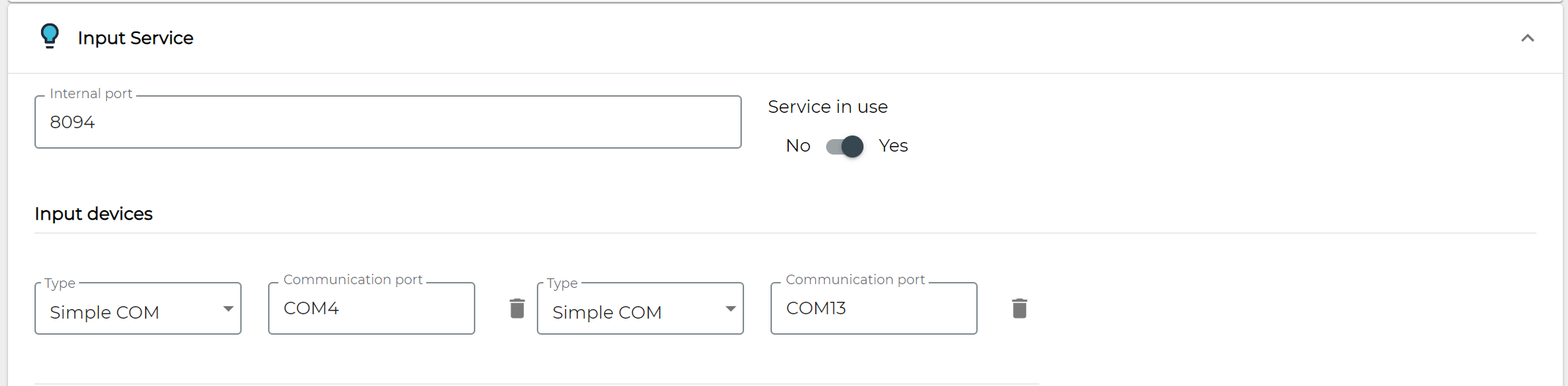
The portName should be the physical port number where you connect your device (or alternatively check the virtual COM port from Device Manager). This port might change if you switch the device to a different USB port, so switching should be avoided.