
You can create new stores for your company in the Configurations view.
-
Click Configurations in the back office menu. The Configurations view is displayed.
-
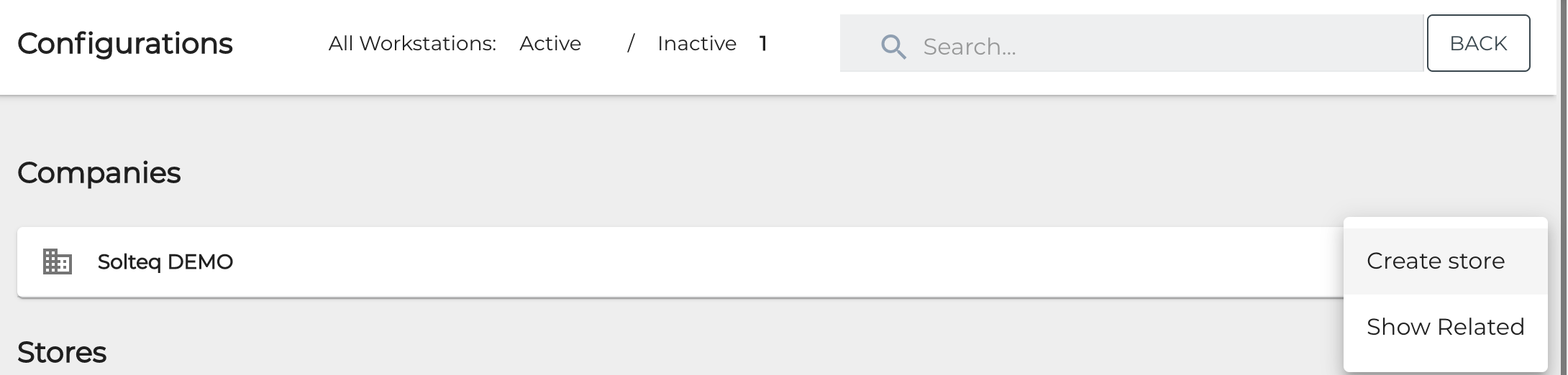
Click the three dots on the row of the company you want to create a store for.

-
Select Create Store.
-
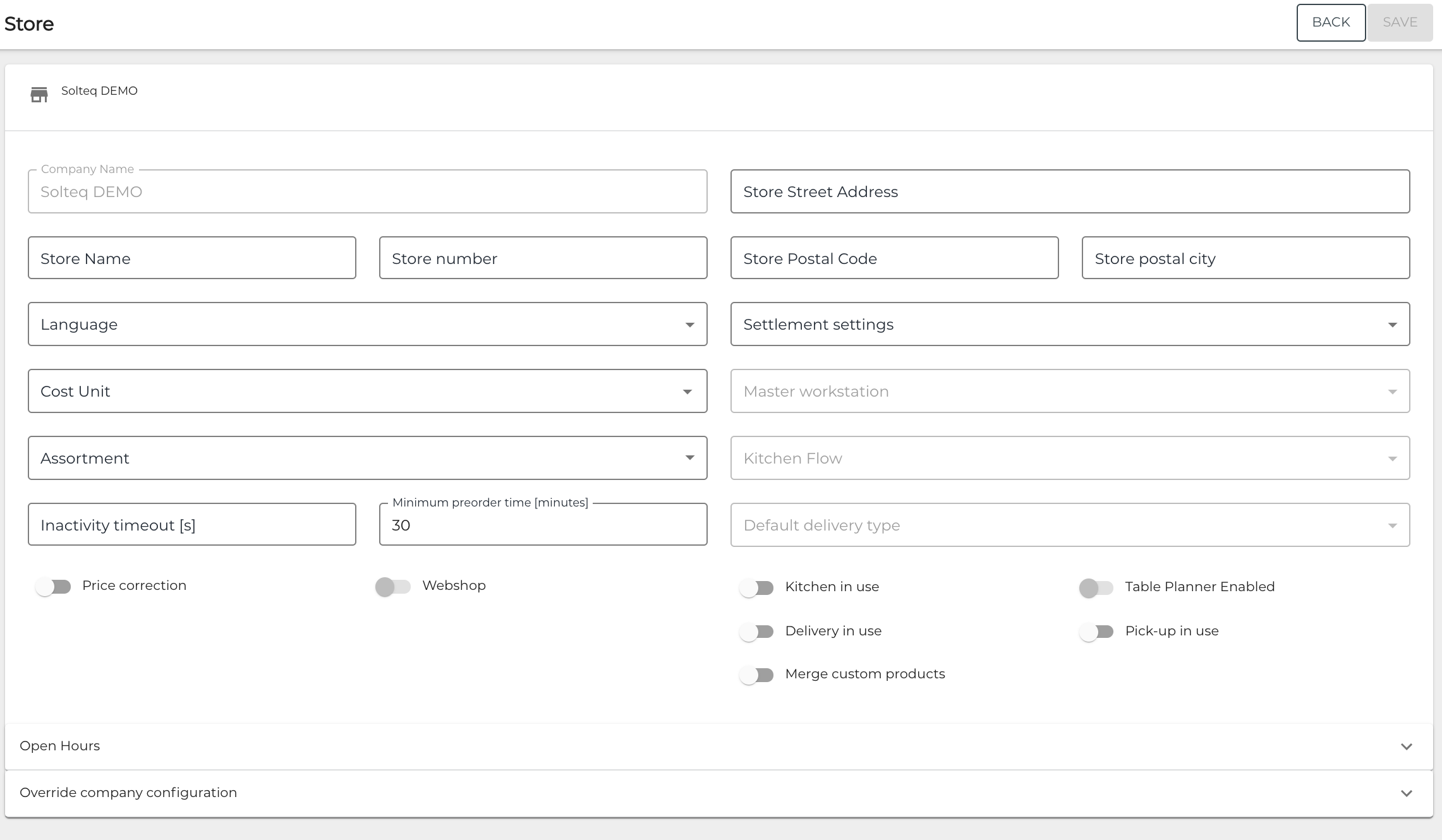
Enter the store details.
-
Click Save to save your changes and create the new store.
The new store is now displayed in your Configurations view.