Device Settings in the Poplapay service
-
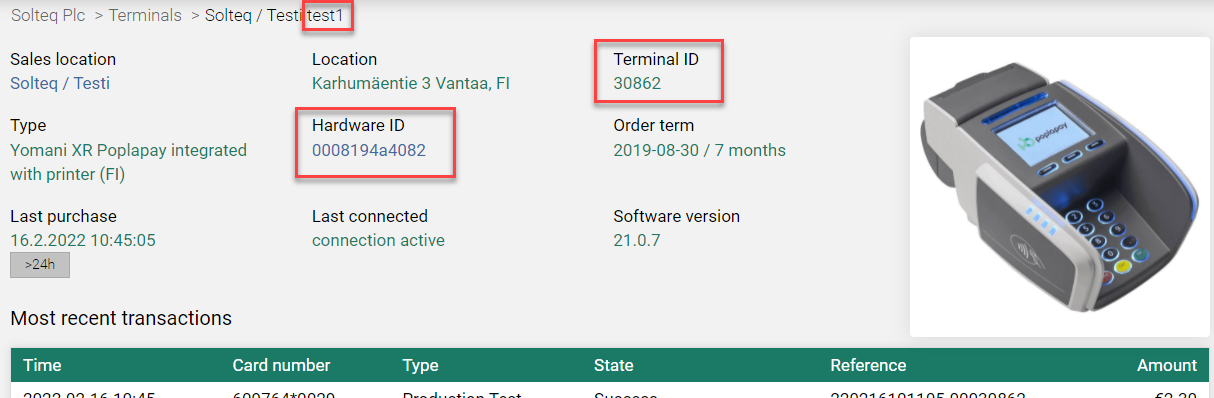
Device name on local network is test1
-
Cloud Terminal Id is 30862
-
MAC is 0008194a4082
Device Settings for the Workstation
The following settings are used in the workstation’s Payment Service configurations.
Local Terminal
-
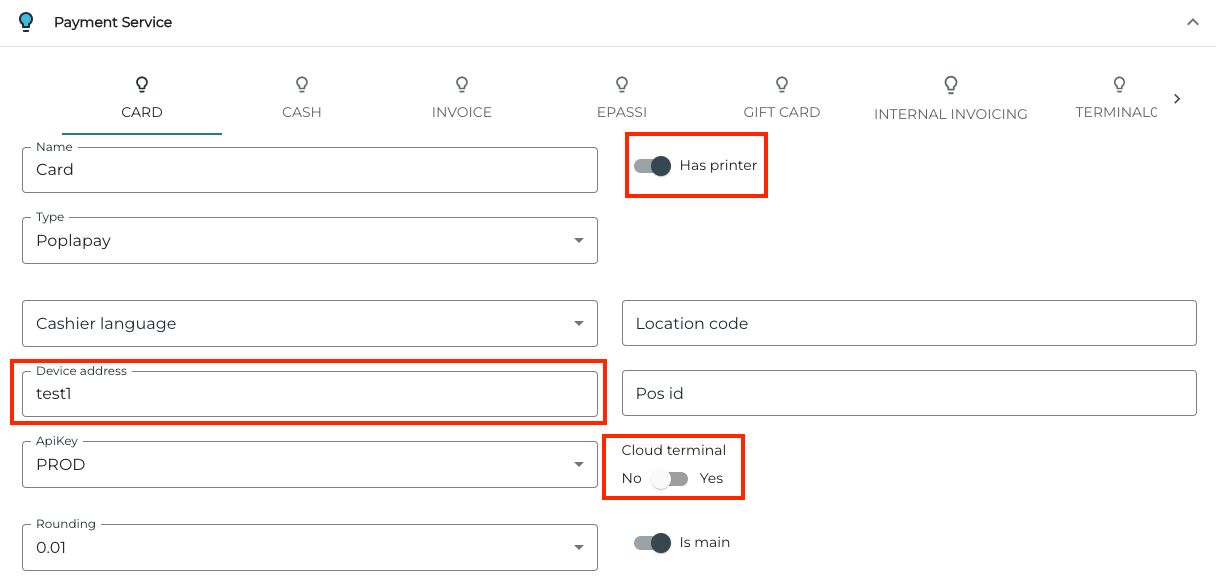
Can you connect device to same local network that POS is? If yes, always perform setup without Cloud terminal; if not, use Cloud terminal.
-
Device address can be found from the Poplay website. Use terminalId with cloud terminals and device name with local mode.
-
If you have printer in the terminal and would like to use it: Click the Has printer switch to Yes position.
-
Choose the language.
-
Enter Location code and Pos id. You can choose what values to use.
-
Keep PROD in the APIkey field. If you have your own API key for terminal, add it to Configuration → Payments → Poplapay.
When terminal is connected to the internet (via cable, WLAN or 3G) turn it on and wait. If terminal has been never used before, switching the power on will take a while; the terminal may also need to reboot itself because of updates
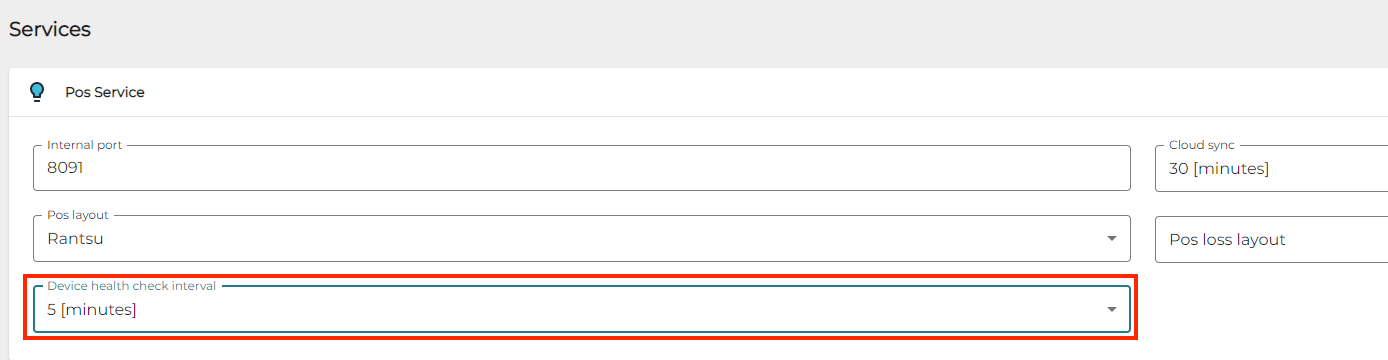
When using Poplapay terminals, always set up Health Check interval in Workstation POS Service settings.