
Use this setting to define whether Kitchen Areas are enabled in your Store. If you do not define any Kitchen Areas, all orders will be sent to the same default Kitchen.
Note that the Kitchen in use switch must also be switched ON; otherwise Kitchen Areas cannot be used.
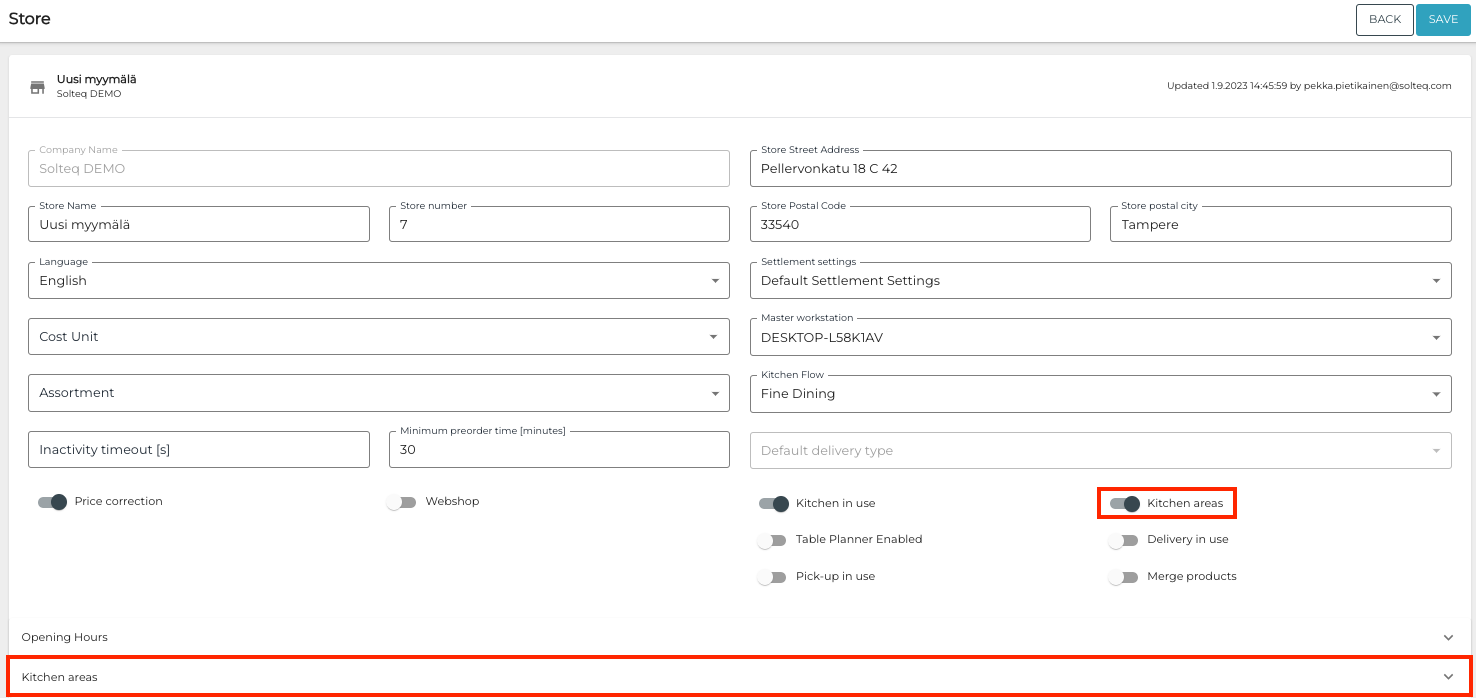
After enabling Kitchen areas, a new Kitchen areas section is displayed (under Opening Hours). When you click to extend the new section, a list of different Kitchen Areas is displayed:
-
You can add a new Kitchen Area to the Store by selecting an existing one from dropdown.
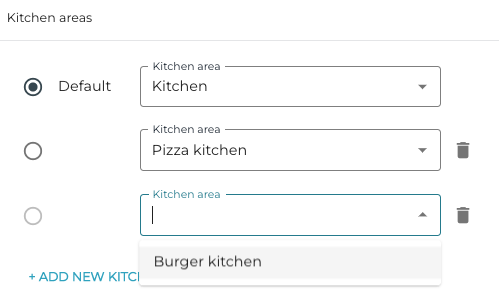
Adding an existing Kitchen Area in Store configurations -
You can also create new Kitchen Areas for the Store by entering the name of the new area and selecting Create [name of the area] from the dropdown menu.
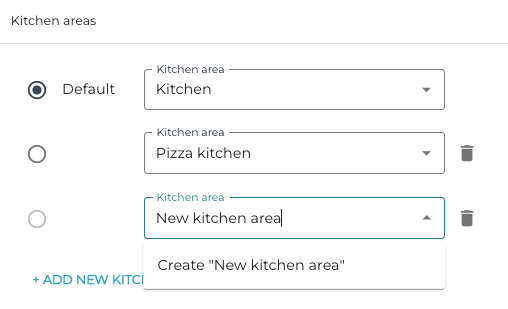
Creating a new Kitchen Area in Store configurations
You can also set a Kitchen Area to be the default area; only one area can act as the default. You can also remove Kitchen Areas assigned to a Store (the default area cannot be removed).