
In the Transactions view you can view the transactions created in a Stock.
To access the view:
-
Click Stock Handling in the Back Office menu.
-
Select a Stock from the list. Stock details are displayed.
-
Click View more in the Stock Transactions section.
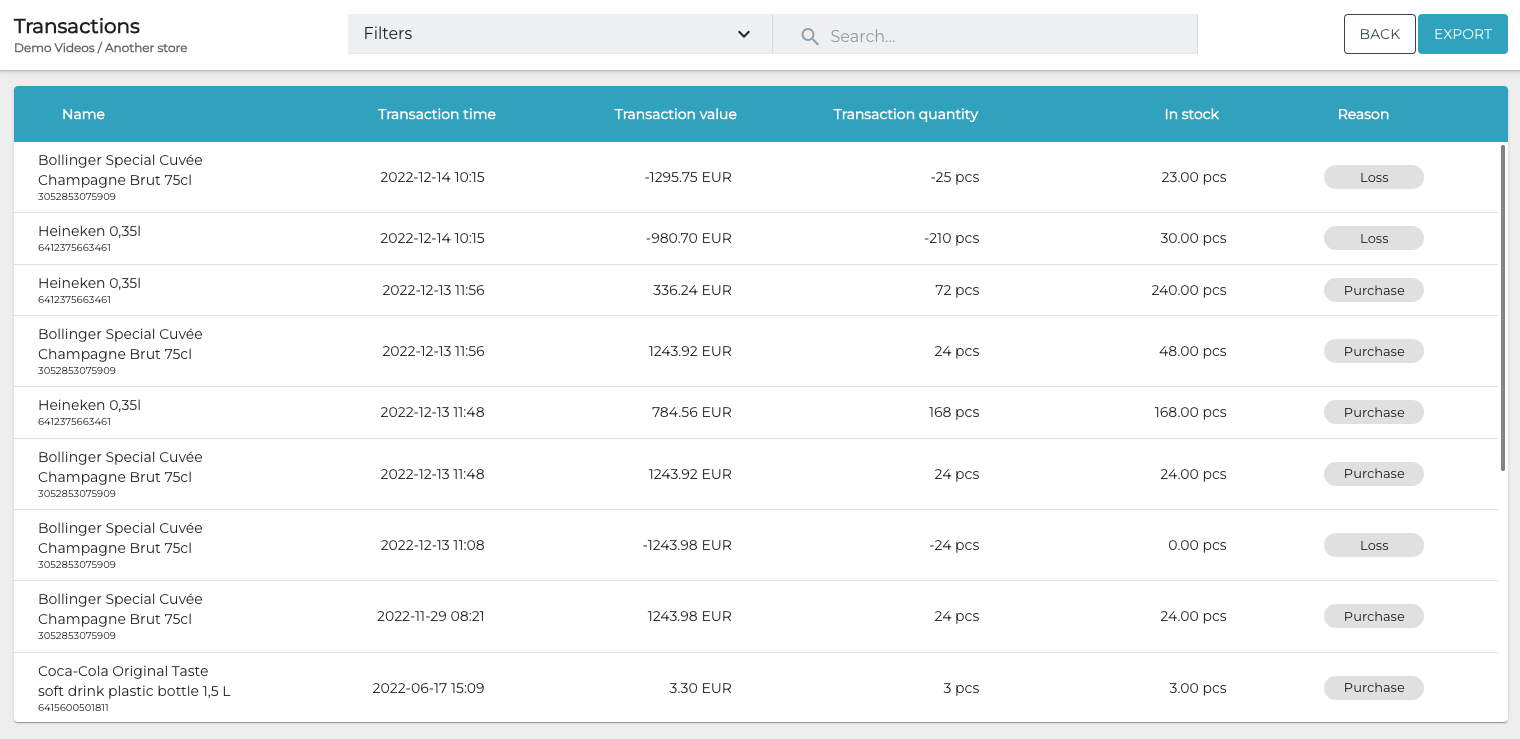
The following information about transactions is displayed:
-
Name of the stock item
-
Transaction time
-
Transaction value
-
Transaction quantity
-
In stock (current quantity of the stock item)
-
Reason for the transaction
You can also filter the view based on the following criteria:
-
Sku: Enter the Sku(s) you want to be displayed.
-
Transaction time: Select the time range you want to be displayed.
-
Categories: Select the stock item category types and categories you want to be displayed.
-
Transaction type: Select the stock transaction types (In/Out) you want to be displayed.
-
Reason Code: Select the transaction reason codes you want to be displayed.

When you have selected the filters you want to use, click Apply filters to filter the information.