
Only single products (not categories) can be selected when creating loss with a transaction order, and Excel import cannot be used.
-
Click Stock Handling in the Back Office menu.
-
Select the stock from the list.
-
In the Stock view, click View More in the Transaction Orders section.
-
In the Transaction Orders view, click Add New. The new transaction order view is displayed.
-
Select Stock out as the Type and Loss (or a custom reason code, if applicable) as the Reason Code for the transaction order.
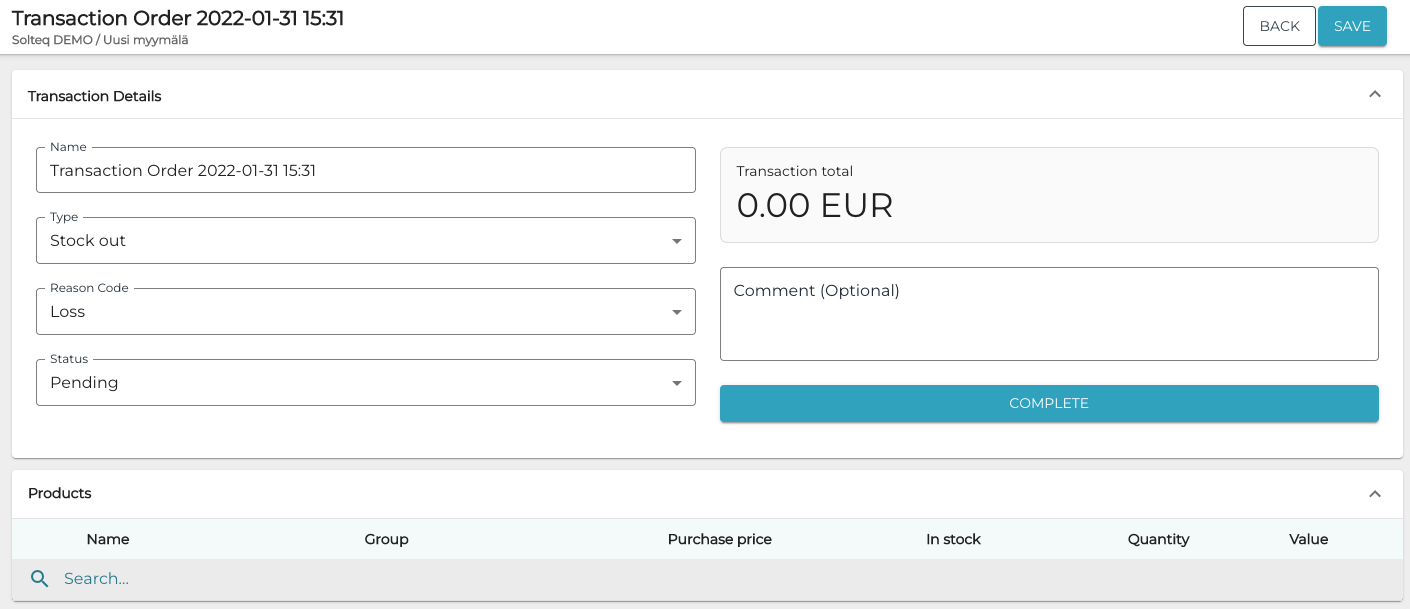
New Loss transaction order -
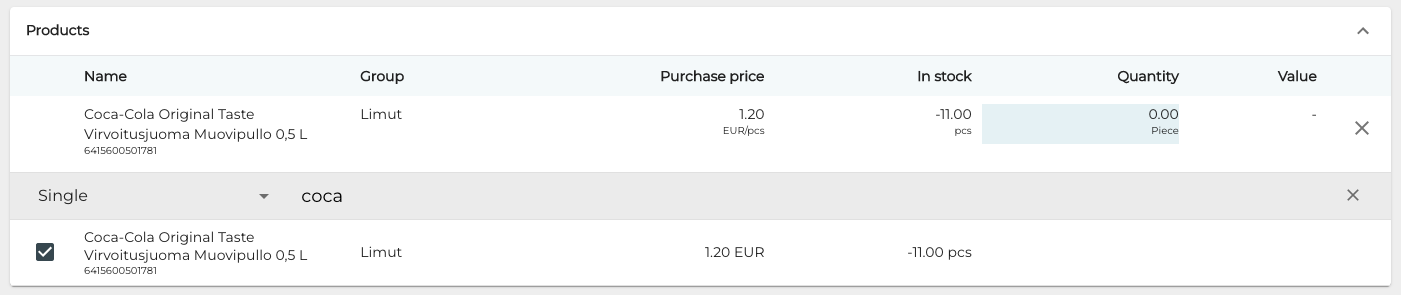
Select products for the transaction order by entering the SKU of the product (or the product name fully or partially) in the Search… field and then making a selection using the checkboxes.
-
Add loss Quantity for the selected product.
-
Repeat steps 6–7 to add more products, if needed.
-
Click Complete to finish your transaction order.