
Pop-Up Notification when using a Fringe Benefit Payment Method in POS
Finnish Tax Administration gives out guidelines for tax-free benefit usage in Finland; the conditions listed include what types of goods and services can be bought using tax-free benefits such as Edenred or Wolt Benefits as the payment method.
You can now define a pop-up notification text which will be displayed in all of your POSs when a fringe benefit payment method is used to pay for the Basket contents.
The notification will be displayed after the payment has been successfully made.
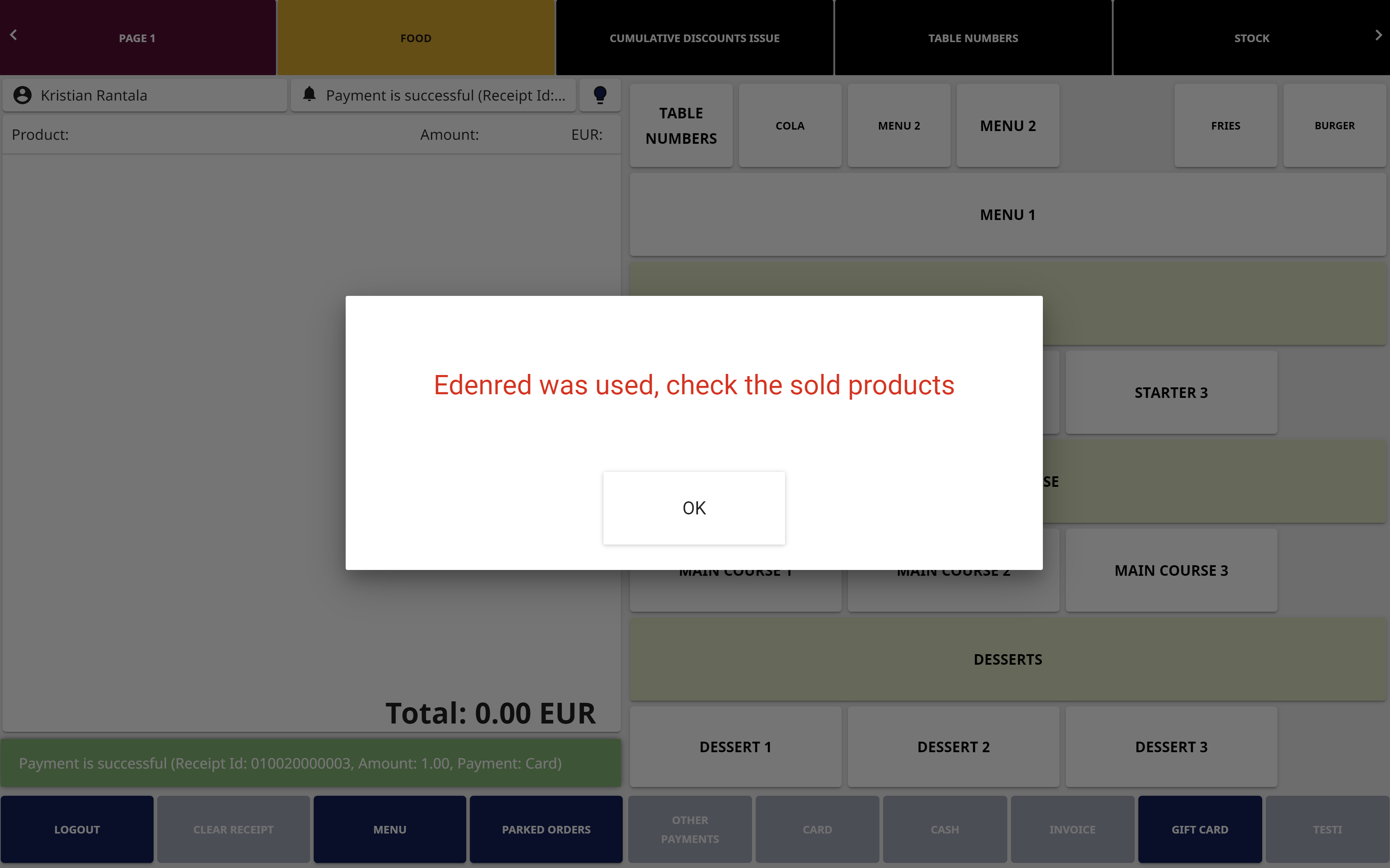
The purchase of non-permitted products/services can be reviewed by using the bank identifier number (BIN) of the payment method used.
|
Fringe Benefit |
BIN for physical cards |
BIN for Apple Wallet/Google Wallet payments |
|---|---|---|
|
Edenred |
534287 Covers all fringe benefits: lunch, transport, massage services and wellbeing services. |
|
|
Wolt Benefits |
493591 Covers all fringe benefits: lunch, transport, massage services and wellbeing services. |
497439 Covers all fringe benefits: lunch, transport, massage services and wellbeing services. |
See the instructions below for information on how to define the required settings.
-
Click Configurations and select Payments in the Back Office menu.
-
In the Payments view, click Fringe benefit rules.
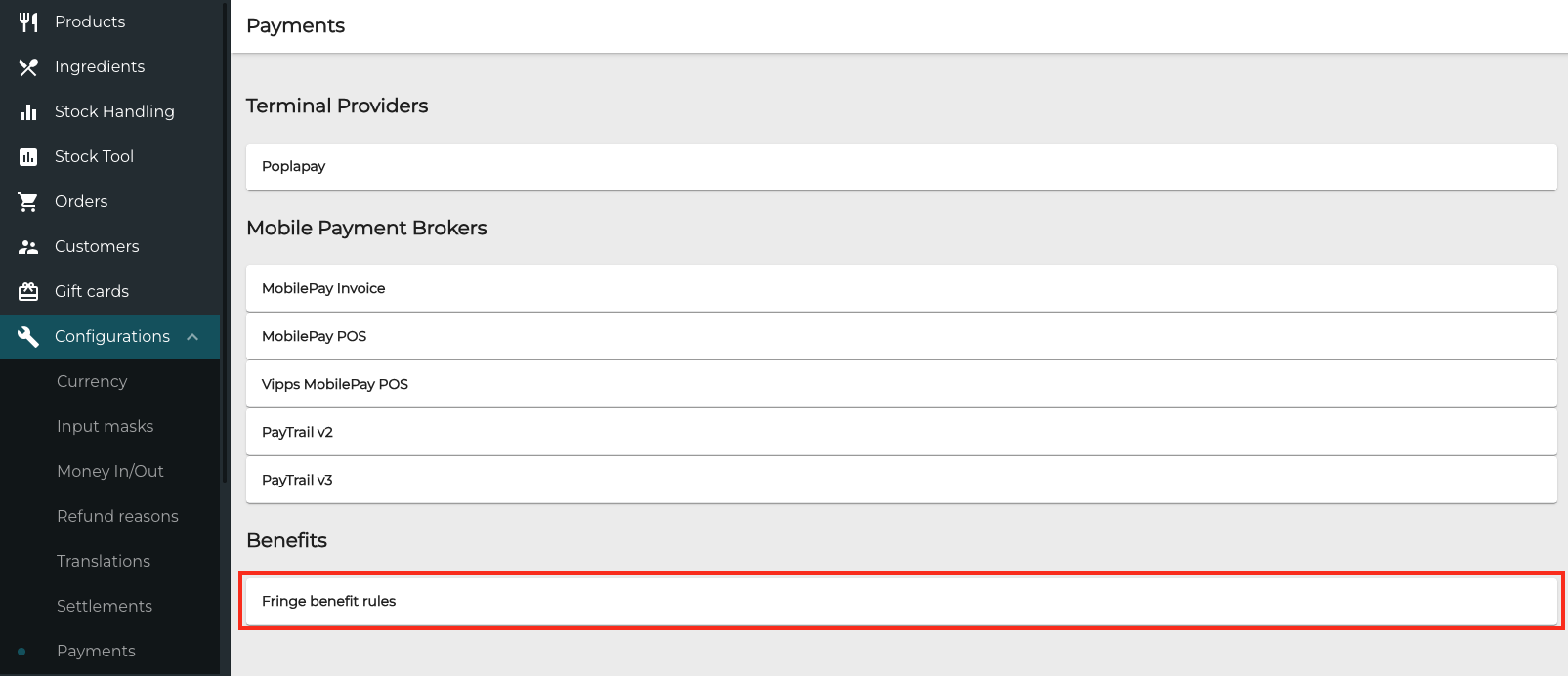
Fringe benefit rules in Payments view -
In the Fringe Benefit Rules view, click + Add new.

Add new fringe benefit rule -
Enter the following settings for the new fringe benefit rule:
-
Name
-
Bank Identifier Number (BI):
-
For Edenred payments:
-
For physical card payments, enter 534287
-
If you are using also Apple Wallet/Google Wallet payments, you need to add three separate rules, using the following BINs:
-
534287
-
530676
-
518060
-
-
-
For Wolt Benefits Payments:
-
For physical cards, enter 493591.
-
Apple Wallet/Google Wallet Payments: 497439
-
-
-
Message displayed on the POS: Enter the pop-up message that will be displayed when a fringe benefit is used as the payment method.
-
-
Add a new rule for each of the required Edenred/Wolt Benefits payment methods listed above.
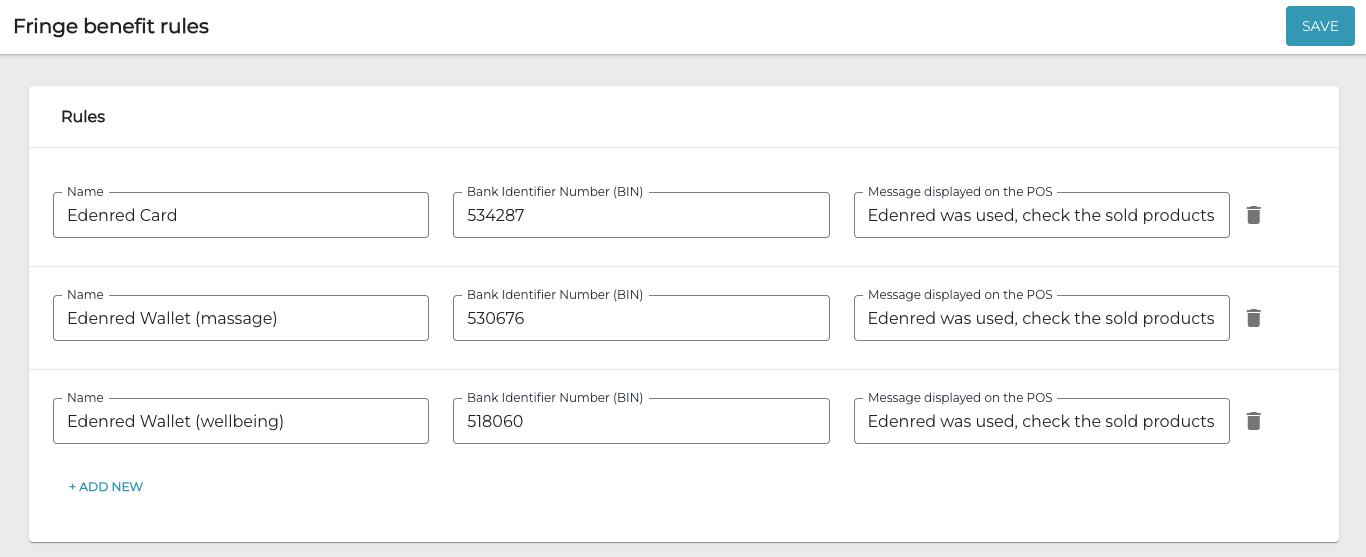
Settings for the fringe benefit rules (example) -
Click Save to save your Payment Service settings.
-
When you have refreshed the POS settings, the defined pop-up notification will be displayed in POS every time a fringe benefit payment is used.