
Configuring Custom Kiosk Layouts
A number of new features are introduced in this release to help you create and manage visually appealing and easy-to-use Self-Service Kiosk layouts.
Previously the only possibility to group products in the Kiosk screens to different tabs was based on product categories, and adding products to Kiosks was dependent on the selected assortment. Using this legacy configuration is still possible, but the new features give you much more flexibility compared to the old functionality.
With the features included in the new Solteq Commerce Cloud software release you can
-
create different custom Kiosk layouts utilizing either horizontal or vertical menus
-
add and group products to the Kiosk screens freely according to your wishes, and
-
add POS product tiles to Kiosk layouts.
The Designer view of the Back Office contains a new Kiosk tab, in which you can create and modify custom Kiosk layouts.
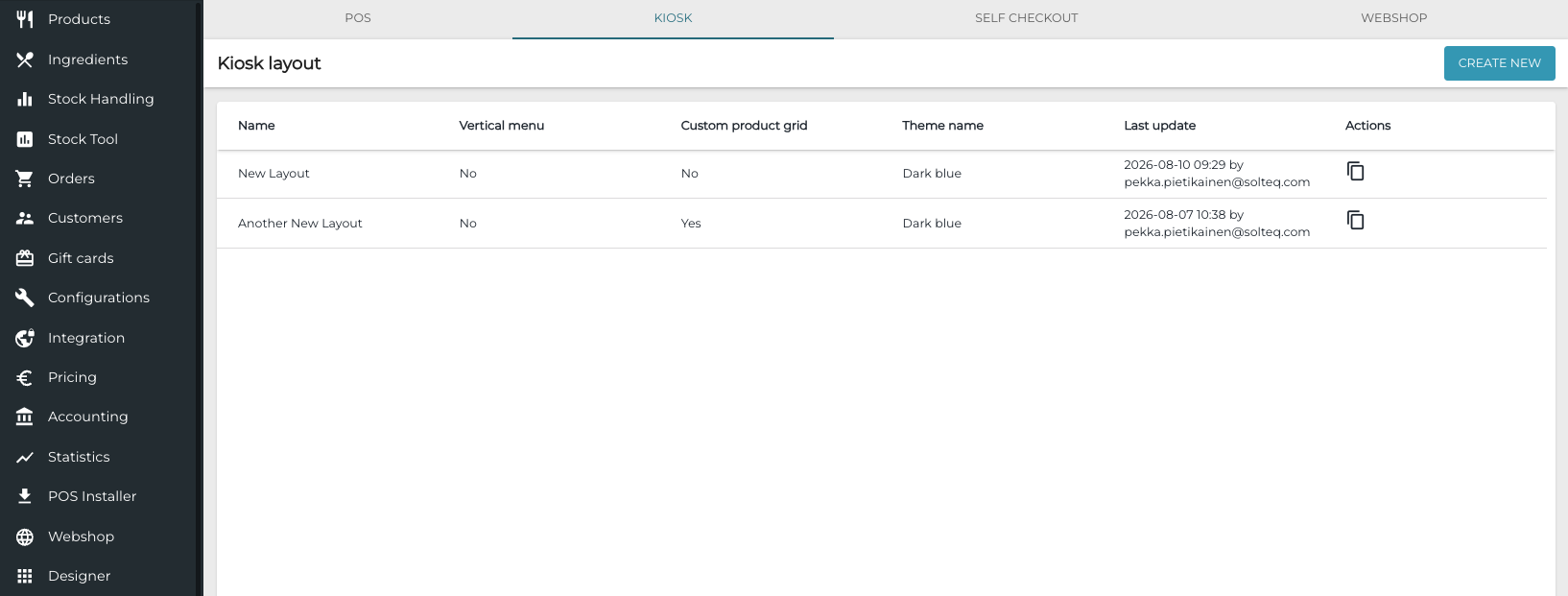
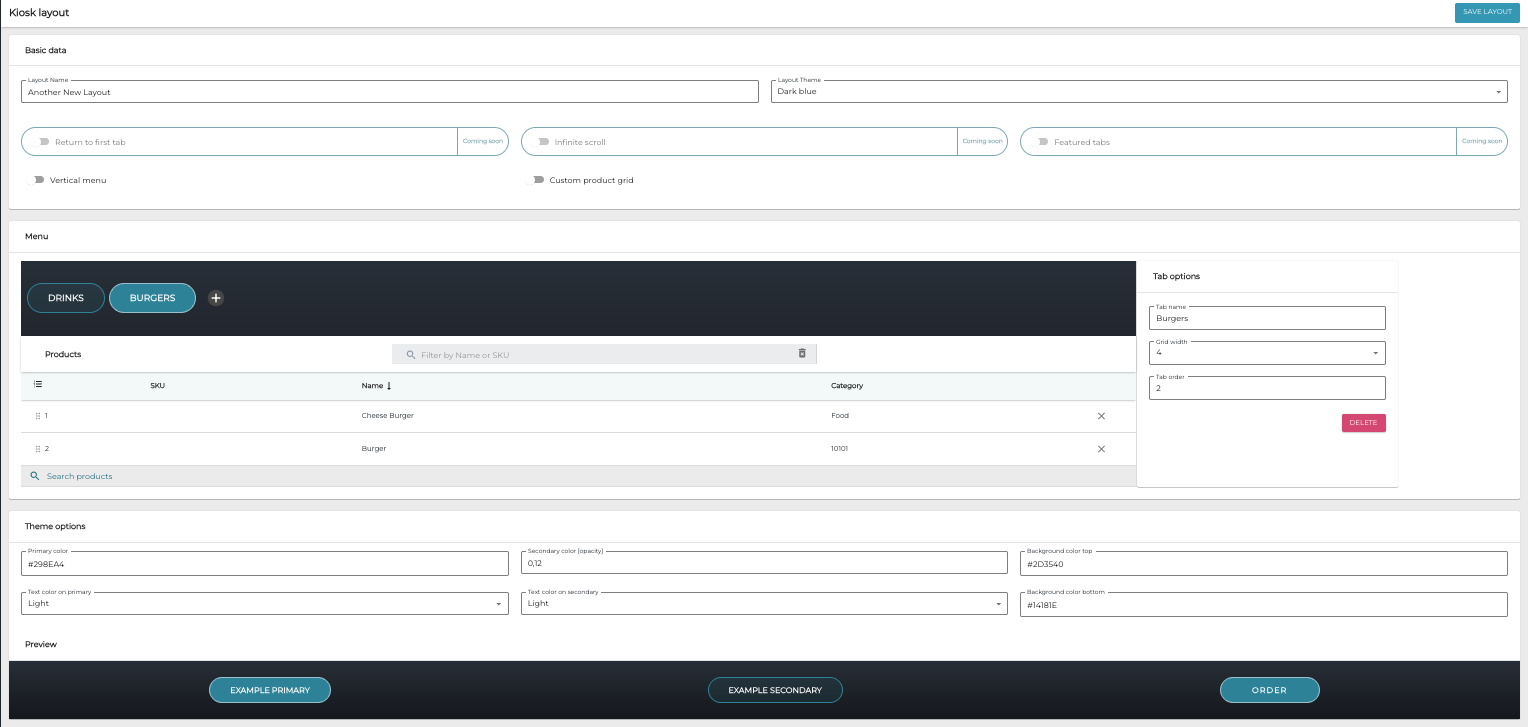
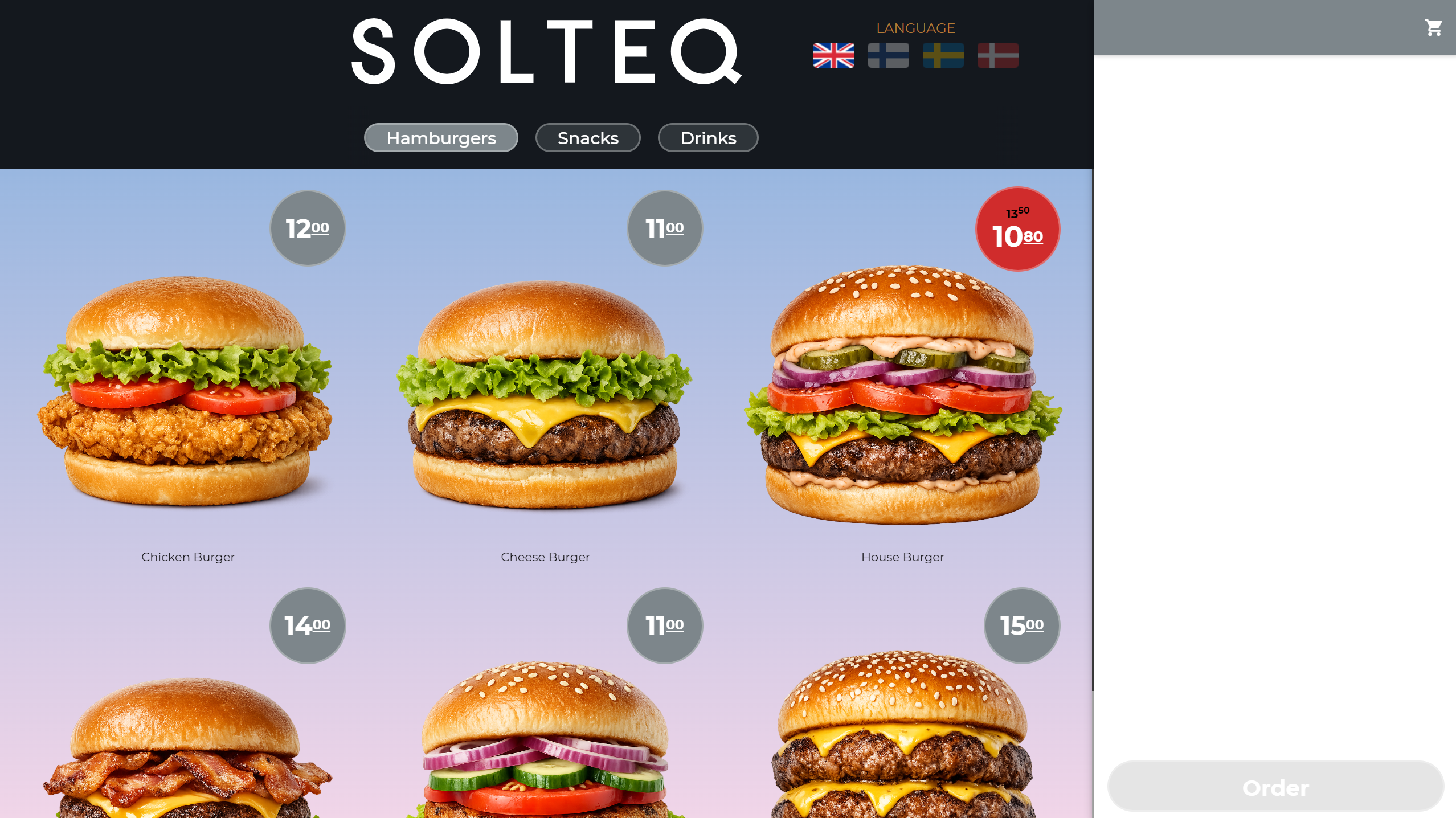
Kiosk layouts can be horizontal or vertical, and contain product tiles and tabs with assorted images.
.png?cb=517b04a55c6f7c10099e8374196043e9)
For more information and detailed instructions on how to create custom Kiosk layouts, see Kiosk Layout and Creating a Custom Kiosk Product Menu.
Efsta Fiscal Integration for Germany
Solteq Commerce Cloud can now be integrated with the Efsta solution to comply with legal requirements for fiscalization in Germany.
When the solution has been taken into use, all sales transactions are registed at the POS: The customer pays for purchases, and when the transaction is complete, before the receipt is printed, the transaction information is then sent to the Efsta service. The service then generates unique identifier for the transaction, which is printed on the receipt.
Fiscal service in use must be enabled in Company Configurations to use this feature. Note that enabling this setting cannot be reversed.
A separate Efsta service software also must be installed on the POS workstation to use this implementation. Please contact Solteq Customer Service for installation.
Other Improvements and Fixes
Corrected the filtering problem which appeared in Statistics: When User was selected as the Dimension, it was possible to search/select the user only from the first 100 users listed in the Select… drop-down menu.