
Hiding Product’s Allergens in POS
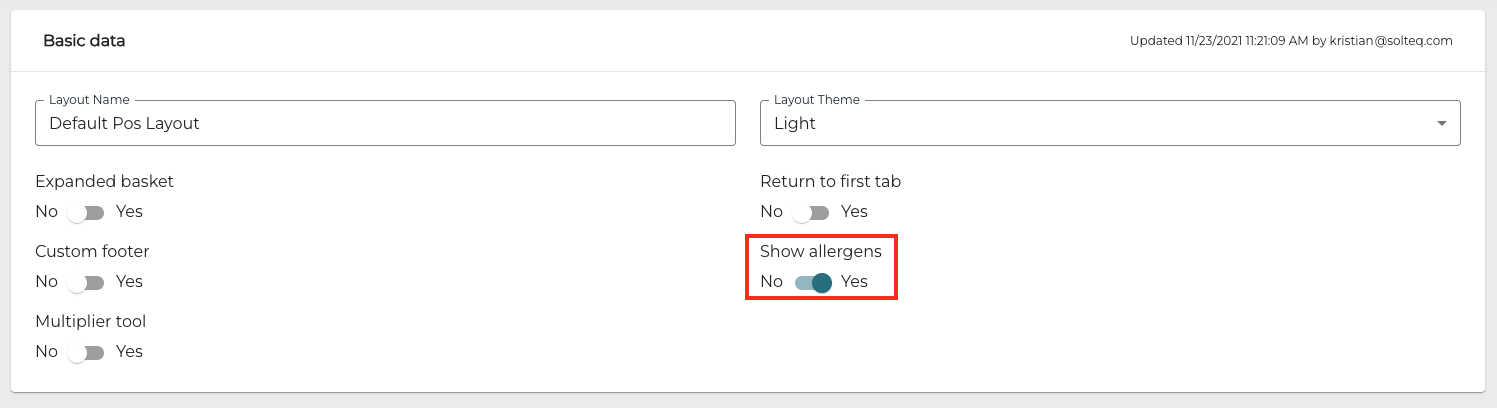
You can now define in POS Layout Basic Data whether the allergens information of basic or custom products will be displayed in product details in POS. Enable/disable the Show allergens setting and then Save Layout to display or hide the allergens.
As a default Show allergens is enabled.
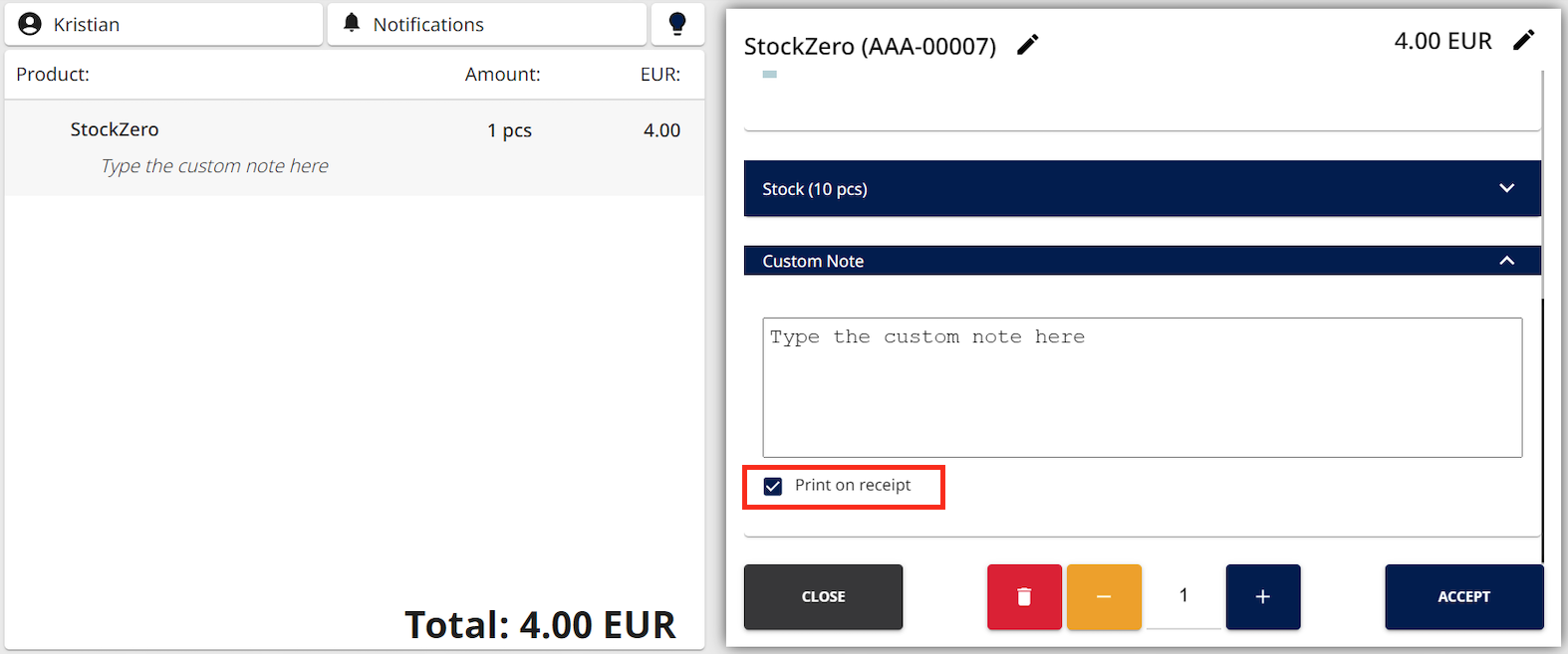
Custom Note is Printed on Receipts by Default
Custom notes added to product rows in the Basket have now Print on receipt setting enabled as default.
Phone Number Validation (International Format) for Customer Phone Numbers
You can now define that all customer phone numbers should use international format, by enabling the Use international phone numbers standard setting in Company Configurations.
When the setting has been enabled:
-
Phone numbers must start with +
-
After +, only digits (0–9) are allowed
-
No spaces, hyphens, parentheses, dots, slashes, extensions ("ext"), or any other characters
-
Total length (including +) must be 7–15 characters.
When the validation has been enabled, it applies to:
-
Private customer details as well as company customer contact details in the Back Office.
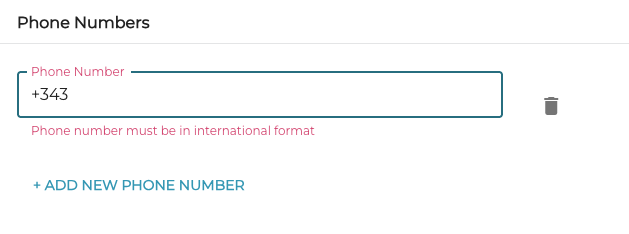
International phone number validation has been enabled in Company Configurations -
Customer data Excel imports
-
If the phone numbers are not in the correct format, the import will fail; the Back Office user will be provided with an e-mail message stating the reason.
-
-
Customer data imported via an external API; an error message will be provided if the validation fails.
Filtering Regular Price Lists by Customers or Customer Groups
In addition to using Status, Products and Stores as filtering/search criteria in Regular Prices view, you can now also use Customers.
Select a Group of customers or Single customer from the Filters menu, select the group(s) and customer(s), and then click Apply Filters to update the list of displayed regular price lists.

Table Planner View as Default View in Parked Orders & Printing the Current Order
You can now define that the Table Planner view is displayed as the default view in Parked Orders, by enabling the setting in Table Planner settings.
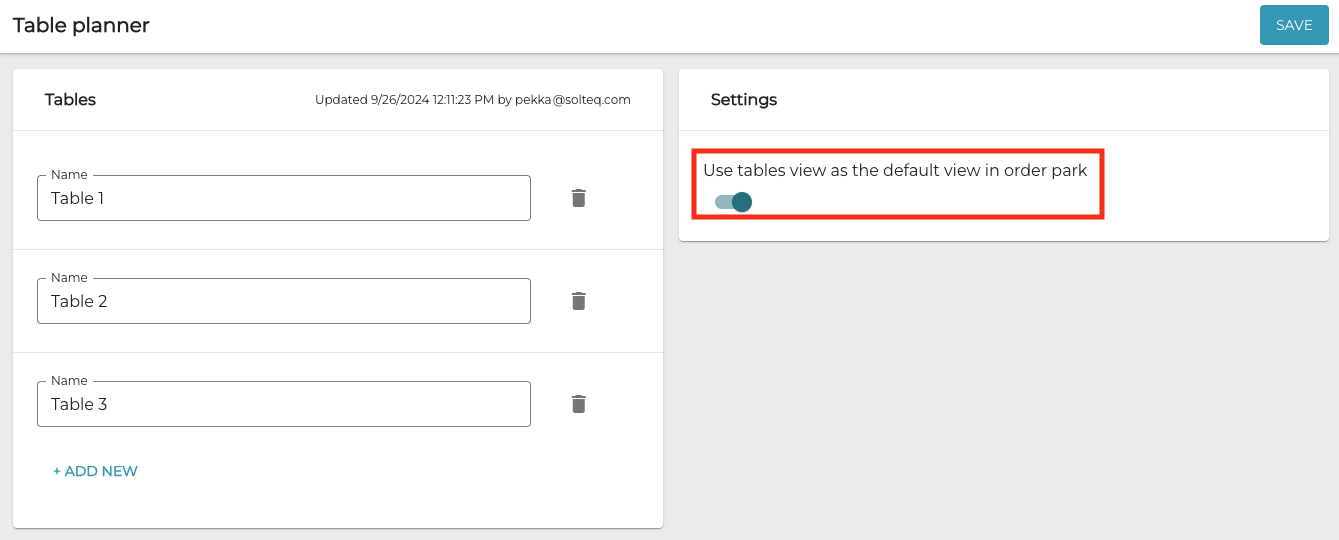
When the setting has been enabled, the Table Planner view is the default view displayed in Parked Orders.
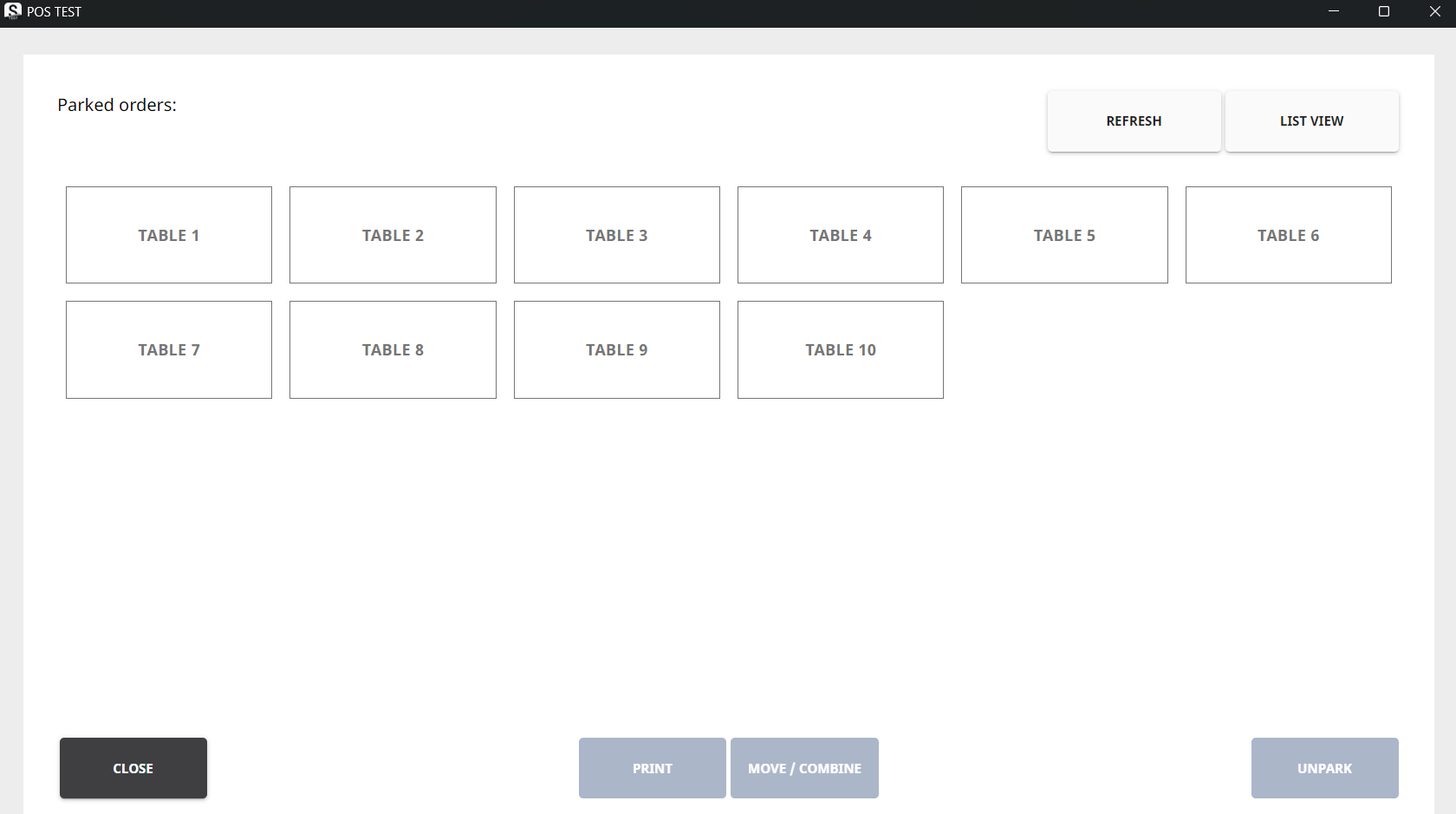
By pressing Print you can print the contents of the current Basket of the selected Table. If the Table contains several orders, you need to select the order you want to print first.
Blocking Zero Purchase Prices in Purchase Orders
To ensure that purchase orders do not contain products whose purchase price is zero or empty, you can now enable the Block importing zero purchase prices setting in Company Configurations. The limitation will then apply purchase orders created in the Back Office UI as well as via an External API.
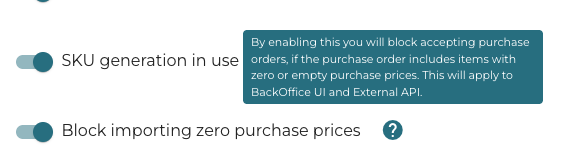
When the setting has been enabled and the user clicks Accept All in an transaction order which contains products with zero or empty purchase price, an error message is displayed.
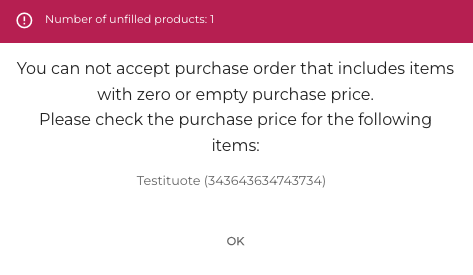
When using an External API, a response code with the message "You can not accept external purchase orders including zero or empty purchase prices" is provided in these cases.
Nets Payment Terminal Software Update
Communication API interface baxi.dll used by Nets payment terminals has been updated to newest version: baxi_net-1.14.1.1768.
Parked Orders Are Now Editable for Longer than 180 Days
This feature must be activated separately; contact Solteq Customer Support if your business requires this feature to be activated.
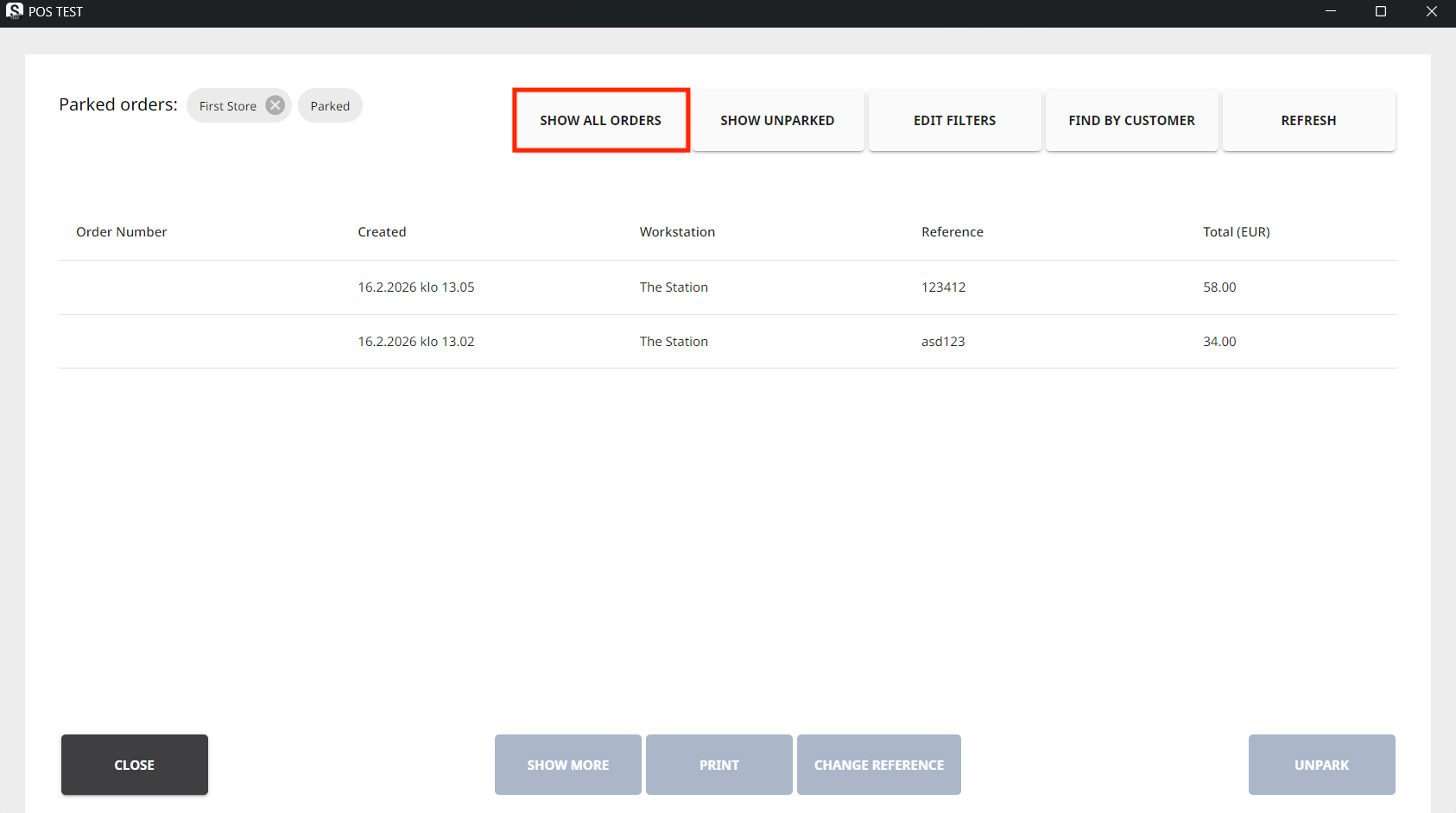
It is possible to define that orders which have been parked can now be unparked and modified even if 180 days have passed since they were originally parked. Pressing the Show All Orders tile in Parked Orders view will display all the orders.
Other Improvements and Fixes
-
Margin calculation in both Statistics and POS User Interface is now calculated using the taxless price instead of price with tax.
-
Corrected the problem which caused Webshop user location to fail after the user had granted permission to determine user location. Reloading the page did display the location correctly.
-
Corrected the problem which appeared when adding products to an purchase order: When category was selected and products were added based on category, the purchase price was not filled out automatically.
-
Corrected the problem which appeared when using User as the filtering criteria in Discount Report: The report displayed no results.
-
Corrected the problem which caused the expiration date of a gift card to be different in the Back Office and POS.
-
Corrected the problem which caused that product category name changes were not visible in product details in some cases.
-
In some cases the Back Office user could unintentionally clear all empty products (with quantity 0) from all Stocks. Now this possibility has been blocked, and the clearing only works in the currently selected Stock.
-
Corrected the problem which prevented saving the Store configuration in Services after products with no Method and Place codes were added to the Store.
-
Corrected the problem which enabled bypassing company customer tax code validation (Validate tax codes for company customers setting) when importing customer data via Excel import or external API.