
You can add a custom note to a Basket product row to add additional information such as instructions. The custom note is included in the customer receipt by default (but you can select to not include it if you wish), and will be visible in the order details in the Back Office.
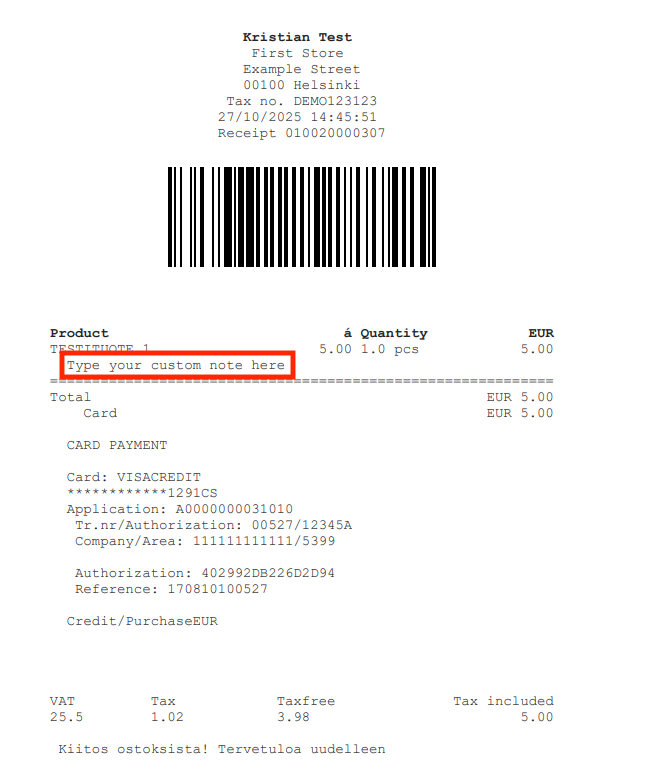
Add a Custom Note to a Product Row
-
Press the product row in the Basket. Product details are displayed.
-
Enter the custom note in the Custom Note field.
-
If you do not want the custom note to be displayed in the customer’s receipt, deactivate the Print on receipt checkbox.
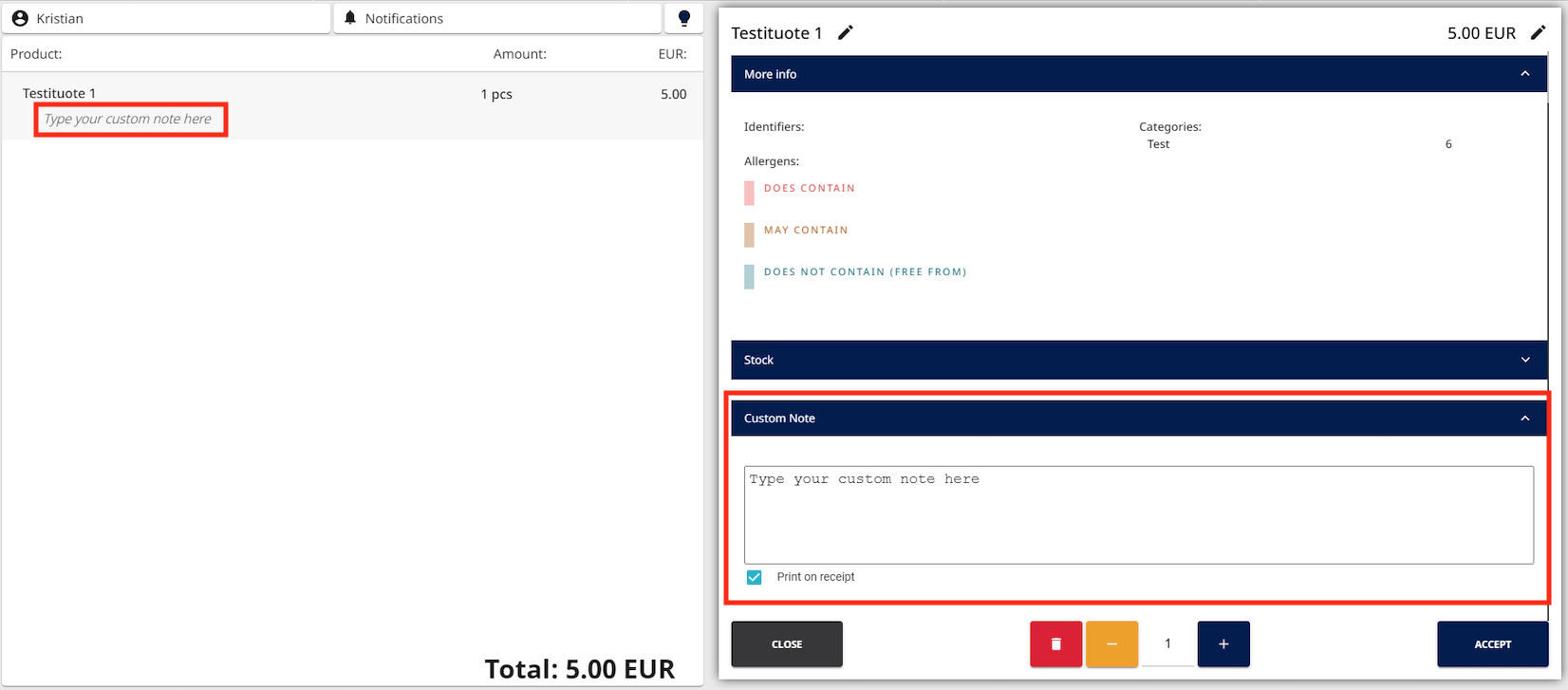
Custom note in POS
-
-
Press Accept to finalize adding the custom note.