
POSs can be configured to utilize info lights to indicate whether the POS is closed or available.
Info lights can also be used with the Fast Contract Meal app.
Below you can see an example video of the functionality.
Activate/Deactivate the POS Info Light in POS
-
Press Menu and then the POS tile.
.png?cb=aa6af25bde115a22d39d2e9f5f3ffa5b)
POS info light settings in POS Menu -
Select from the following options:
-
Close POS to display the CLOSED light.
-
Open POS to display the AVAILABLE light.
-
Turn Off to deactivate the POS info light.
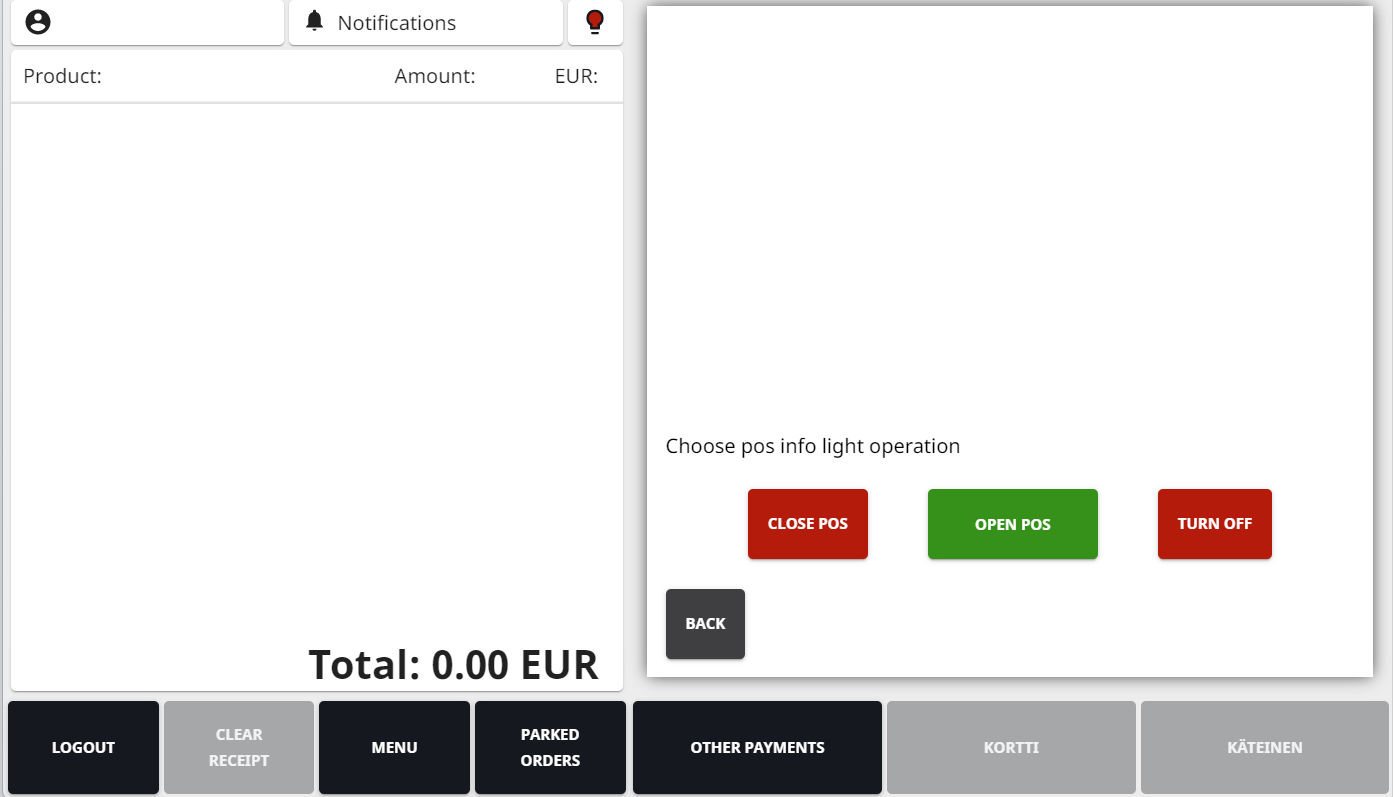
POS info light options
-