
Improvements to Discount/Price Increase Reason Codes
Default Reason Code
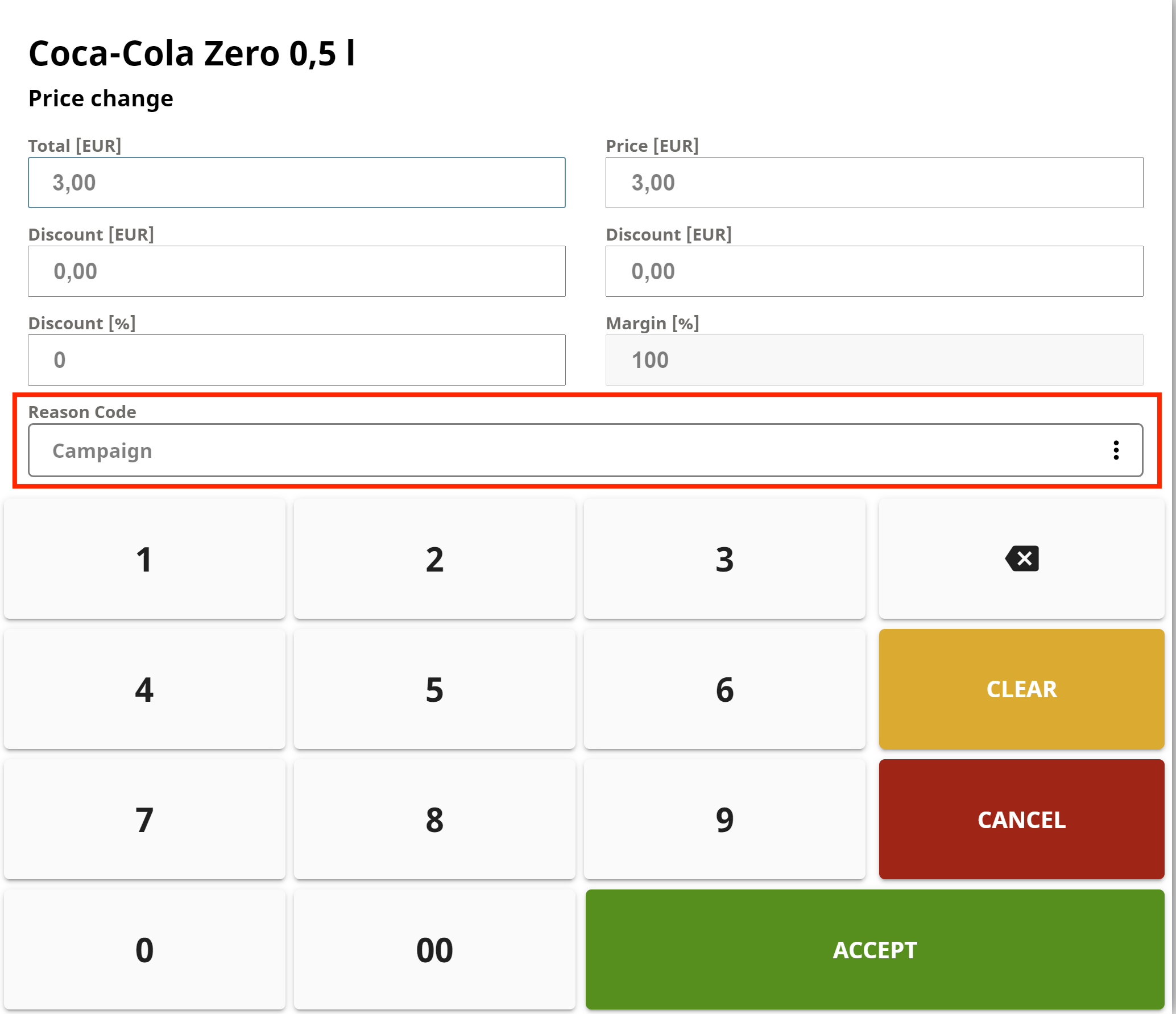
You can now select a default Reason Code for manually applied discounts/price increases in POS. This code will be the default option in the Reason Code menu when manually applying a discount/price increase.
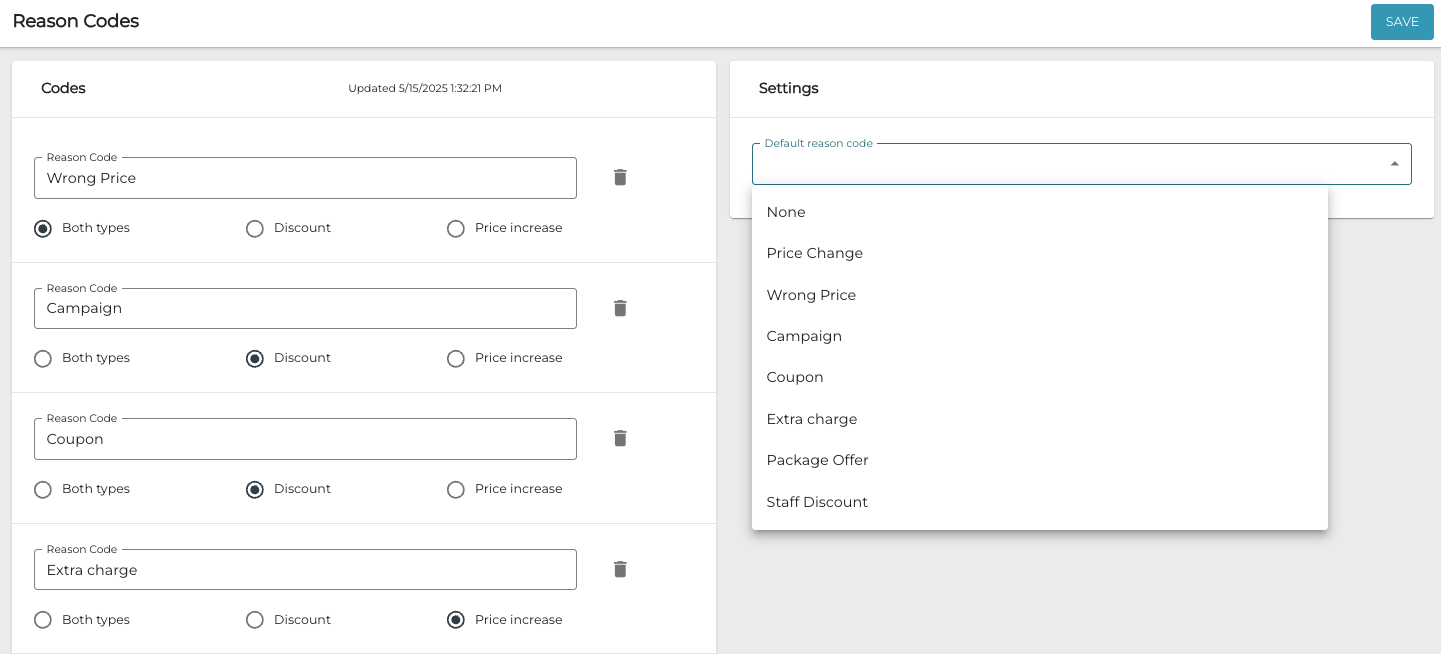
You can select the default reason code from the Default reason code menu in Reason Codes view of the Back Office.
Price Change Reason Code Autoselect
When Price Change has been selected as the reason code for a manual discount/price increase for a Basket row, it is now selected automatically when manual price change is used again for the same row.
Expand/Collapse Columns in POS Customer Search
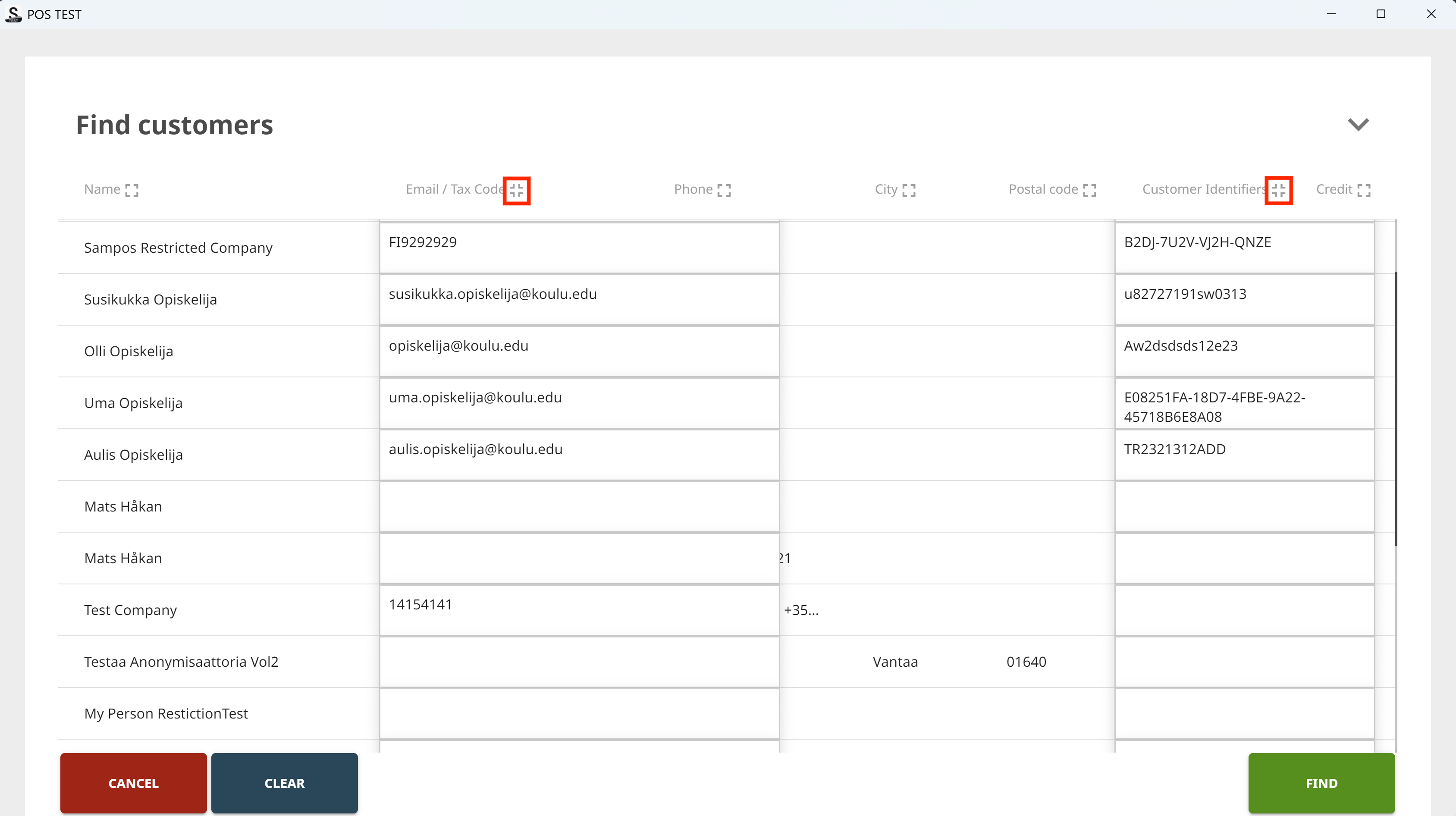
You can now expand and collapse information in the columns of POS customer search results, to display long customer names or several phone numbers in full, for instance. Use the new expand/collapse icons in column headers for this.
Multiselect for Delivery Statuses
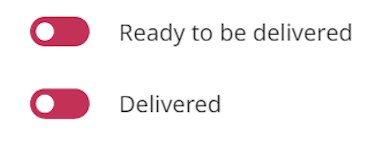
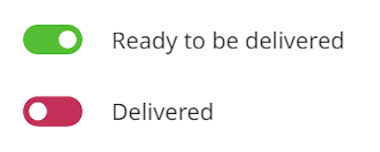
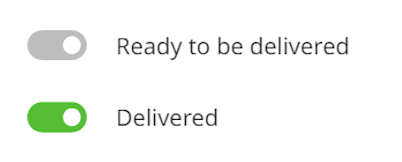
When using the Delivery Status for Product Rows feature in POS, pressing the Multiselect tile or selecting the Products checkbox will now automatically change the delivery status for all the product rows in the Basket at once, depending on the current Basket row statuses.
|
Basket Row Status |
Result, when POS User Presses Multiselect tile or Products checkbox |
|---|---|
|
None of the rows have delivery statuses set. |
|
|
All the rows are in Ready to be delivered status. |
|
|
All the rows are in Delivered status. |
|
|
The rows have mixed statuses. |
|
Solteqpos.exe is Now Signed Software
Solteqpos.exe, used in Solteq Commerce Cloud POSs is now signed software; this digital signature validates the identity of the software author or publisher and verifies that the file has not been altered or tampered with since it was signed.
Limiting Customer Data Visibility for Certain User Groups
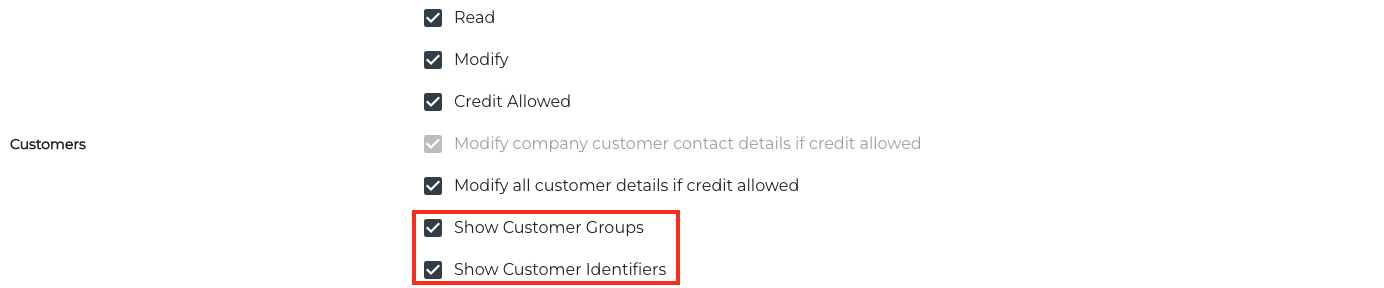
You can now define which users are allowed to view customer groups and customer identifiers, based on user group membership. You can do this by selecting/deselecting the Show Customer Groups and/or Show Customer Identifiers checkboxes in user group permission settings.
Notifications about Ready Orders for Customers
Notifications for customers' pickup orders are now supported: OrderKitchenReady events can be configured in the Back Office Webhook Applications. This means in effect that when the order is Ready in the Kitchen, the customer can get a notification about this in a mobile app, for instance.
Other Improvements and Fixes
-
Loading stock transaction data in Stock Handling and Transactions views works considerably faster now.
-
When unparking an order with a customer in the POS, customer details were automatically displayed. Now customer details will no longer be displayed when unparking the order.
-
Corrected the problem which appeared with orders coming from external systems: Parking the order and then unparking the same order caused payment to fail.
-
Corrected the problem which caused Do not display customer name setting in Interaction Service settings to be ignored when Media Library Folder was used with the customer display.
-
Corrected the problem which prevented exporting Stock Transactions data from the Back Office when filtered with default Transaction Time (last month), or containing data from 31 days.
-
Corrected the problem which caused undefined text appear in some user group permission checkbox labels.
-
Corrected the problem which caused Closed Screen Media to be not displayed outside of opening hours on Self-Service Kiosk.
-
Corrected the problem which appeared when after parking and unparking an order: If a row with a discount receipt text was included in the order, and the order was parked, the receipt text was replaced with the text (Discount) on the row when the order was unparked.