
Shelf Label Printing
This feature requires prior configuration from Solteq before it will be fully functional. Please contact Solteq Sales Service or Customer Support for more information.
Shelf Label Printing from Back Office feature is introduced in this release. Shelf labels can be collected for printing for
-
individual products
-
(filtered) product lists
-
price lists.
To enable shelf label printing, click the Shelf label printing switch to ON in Company Configurations .
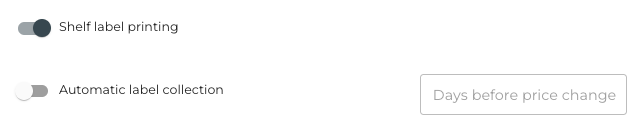
You can also select whether Automatic label collection is enabled. If it is enabled, you can define that when a new regular price has been defined for a product,
-
the labels with new prices will be collected for printing before the price change occurs, and
-
how much beforehand the labels will be collected for printing.
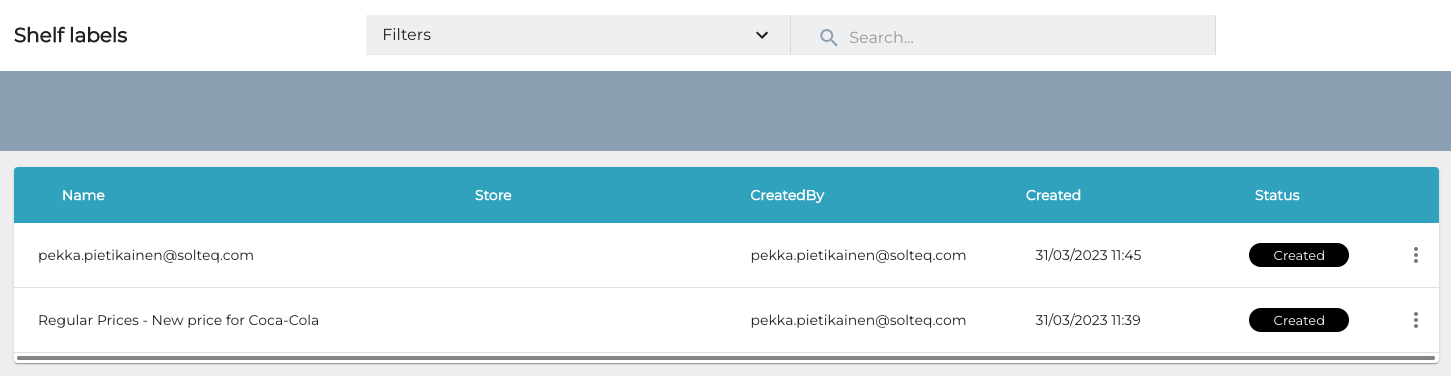
When shelf label printing has been enabled, the Shelf labels menu item will be visible in the Back Office menu, under Products. Click it to access the Shelf labels view.
For more information and detailed instructions, see Shelf Label Printing.
Advanced Bundle Price Discounts
A new Advanced Bundle Price discount is introduced in this release. With this option you can create a discount such as: Pizza (pick one from several options) + soft drink (pick one from several options) for 20 €.
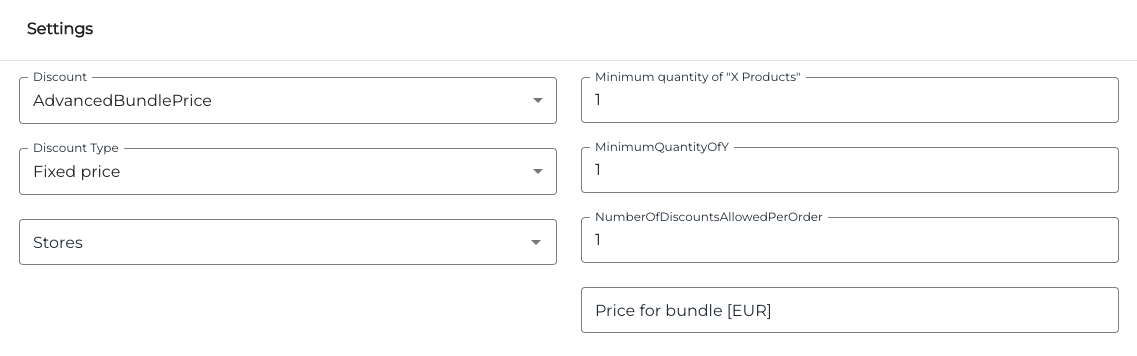
Using this discount you can define the following settings for a bundle:
-
price of the bundle
-
minimum quantity of X and/or Y products in the bundle
-
number of discounts allowed for one order
-
stores where the discount can be applied.
For more information, see Create a New Discount.
User Manual Updates
The following new pages (with no change in Solteq Commerce Cloud functionality) have been added to the user manual: