
-
Unbox the payment terminal. Check that the box contains the device, power cable and Ethernet cable.
-
Connect the power cable as seen in the image below.
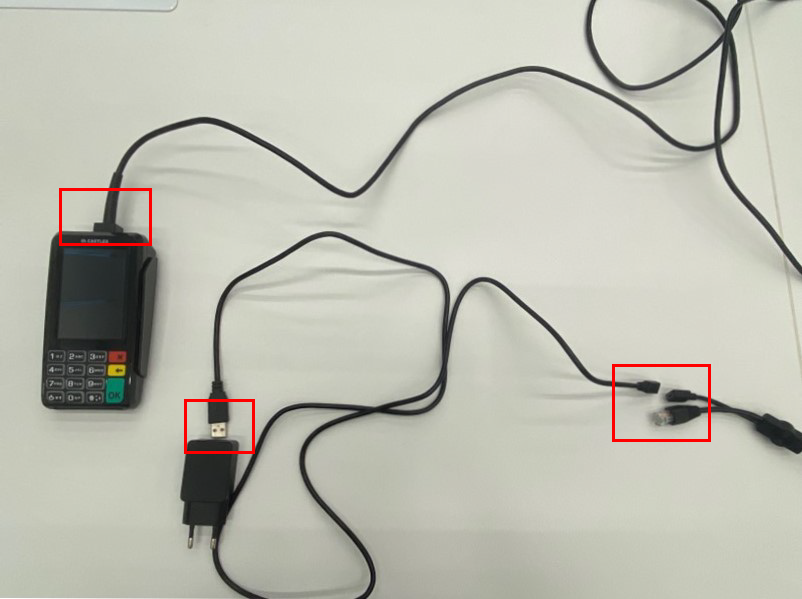
Connecting the power cable -
Plug the power cable to an electrical outlet and the Ethernet cable to an Ethernet outlet with connection.
-
Power up the payment terminal by pressing the Power On button. Powering up the device will take approximately one minute.
-
When the terminal has powered up, press the Power On button for a few seconds so that the terminal settings are displayed. Take note of the Terminal ID of the device; you will need it to complete the setup.
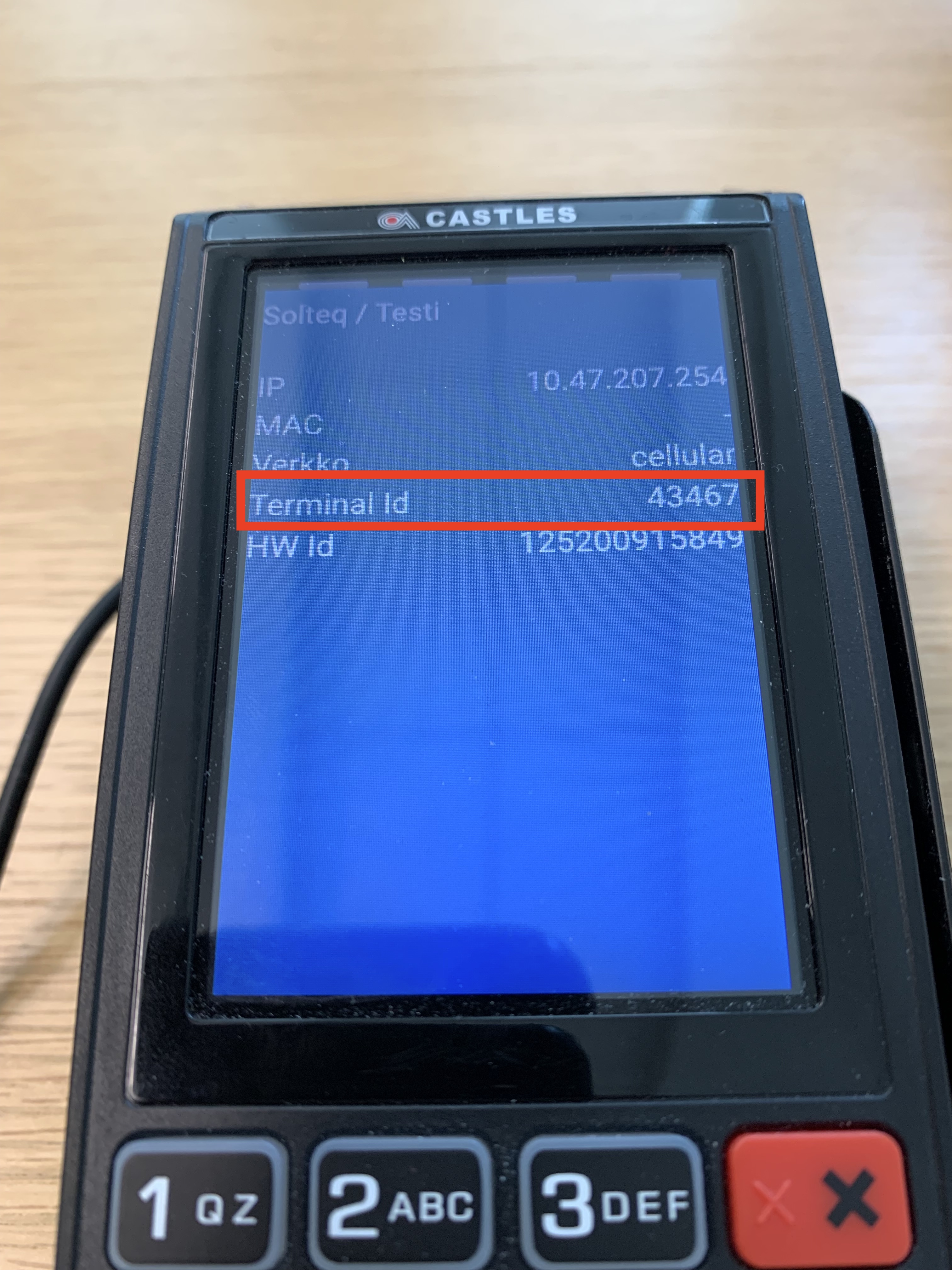
Terminal ID in the device settings -
Next, Update (or Create) the Card Payment Settings in the Back Office.
You can check the terminal ID and other settings by pressing on the Power On button for a few seconds.
Device Terminal IDs are also listed in your company’s Poplapay portal:
-
Login to the portal and select Profile → Terminals.

Popla portal menu -
Terminal IDs are listed in the ID column.

Terminal IDs in the Poplapay portal