-
Go to the workstation Payment Service settings and click New.
-
Select the Type of payment method: Internal from the drop-down menu, and enter the Name for it.
-
Name should be short, without spaces, and comprised only of letters and/or numbers (no special characters).

Adding a new standalone payment terminal
-
-
Click Add payment method.
-
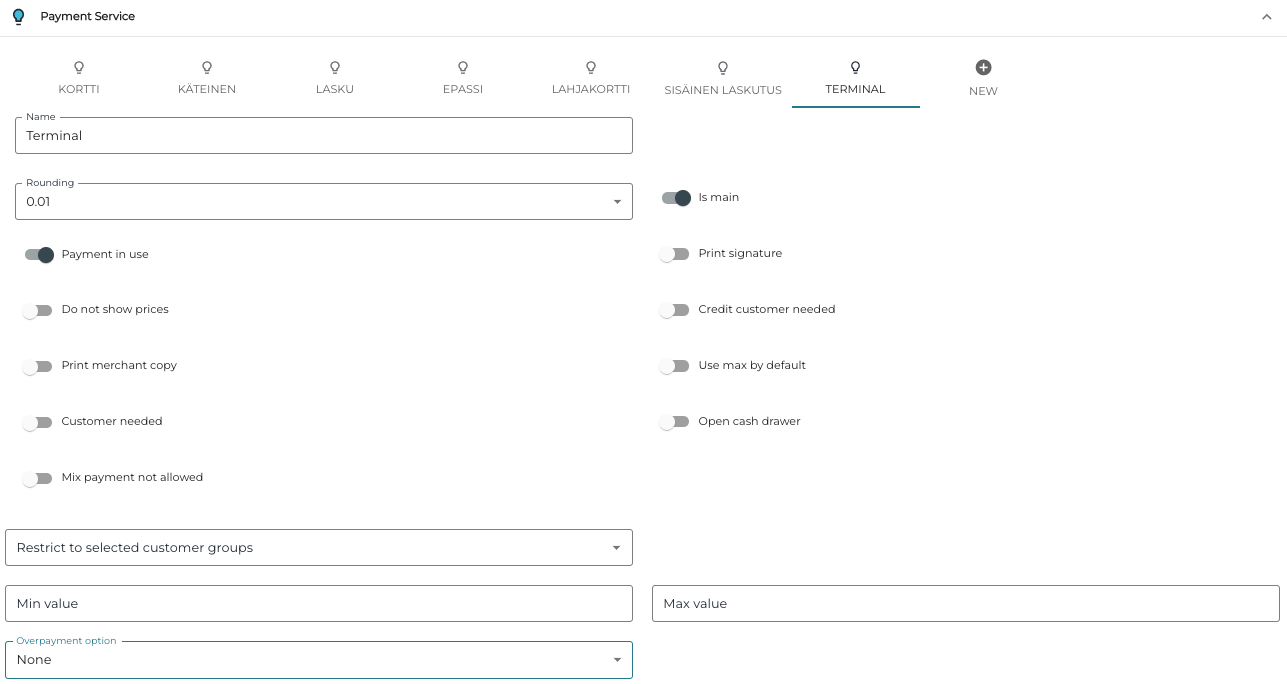
Now you can modify the new payment method configurations. The following settings are recommended:
-
Is main: ON
-
Payment in use: ON
-
Other toggle switches should be in OFF position.
-
Overpayment option: None.
-