
A hotfix package will be released today September 9th, 2026 to Solteq Commerce Cloud. It will fix a problem that caused ingredient and product option selections to be missing from the final receipt in certain circumstances. The hotfix is applied to the Kiosk module only. Back Office, POS (normal & pilot), Mobile POS and the integrated webshop will all be functioning normally and without any interruptions.
for Retail and Restaurant

Generating New CustomerCard Identifiers with Excel Import

You can use the generate() special function to generate new CustomerCard identifiers. When you enter this function in customerCard:{index} Excel column(s) and import the Excel file into the Back Office, the system will create random values for CustomerCard identifiers.

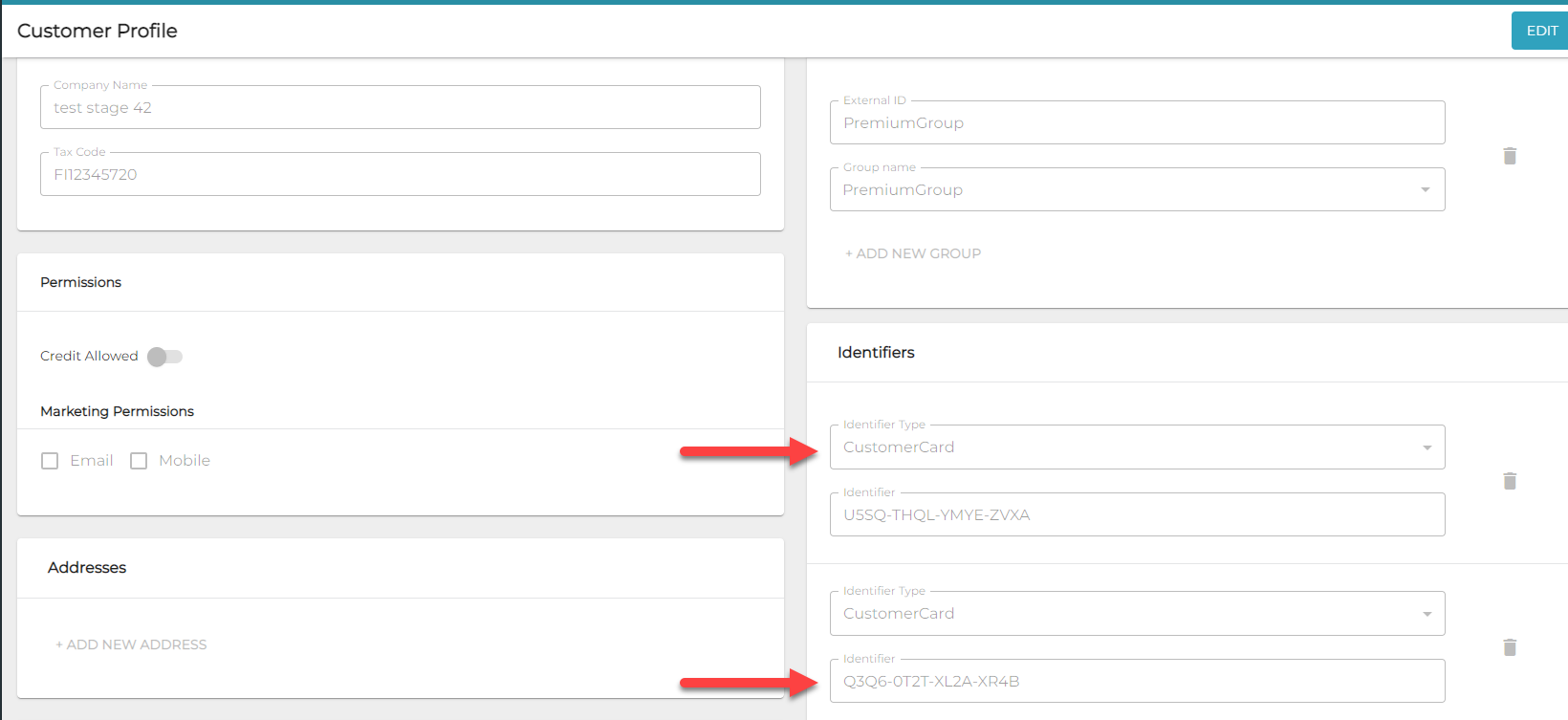
image-20220913-095445.png
Examples of generate() function in customer Excel
image-20220913-100028.png
New CustomerCard identifiers created with the generate() function


The generate() function may only be used for

  • new customers you create with the Excel import function, or

  • existing customers who do not yet have other CustomerCard identifiers.

Otherwise, the function will be ignored.