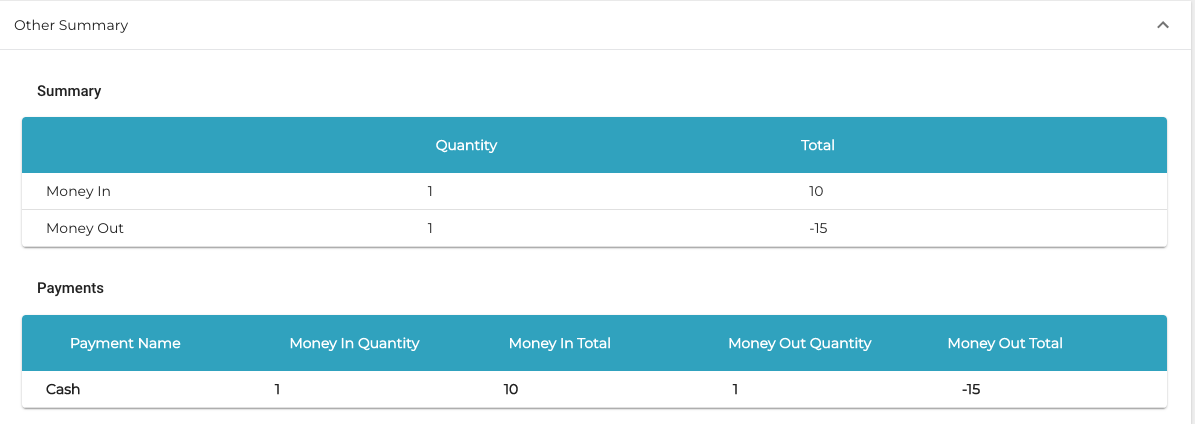
The special characteristic of lottery sales is making payments for the lottery winnings; these must be negative payments in the POS. Because products cannot have negative prices, the recommended way of conducting lottery sales with Solteq Commerce Cloud is to make lottery sales with the Money In function, and payments of lottery winnings with Money Out functions. Create reason codes for the functions:
-
Click Configurations in the Back office menu and select Money In/Out. The Money In/Out view is displayed.
-
Click the Enabled switch to the ON position.
-
To add new reason codes for Money In or Money Out functionalities, click +Add new.
-
Add a Money In function with Lottery sales as the reason code.
-
Add a Money Out function with Lottery winnings payment as the reason code.
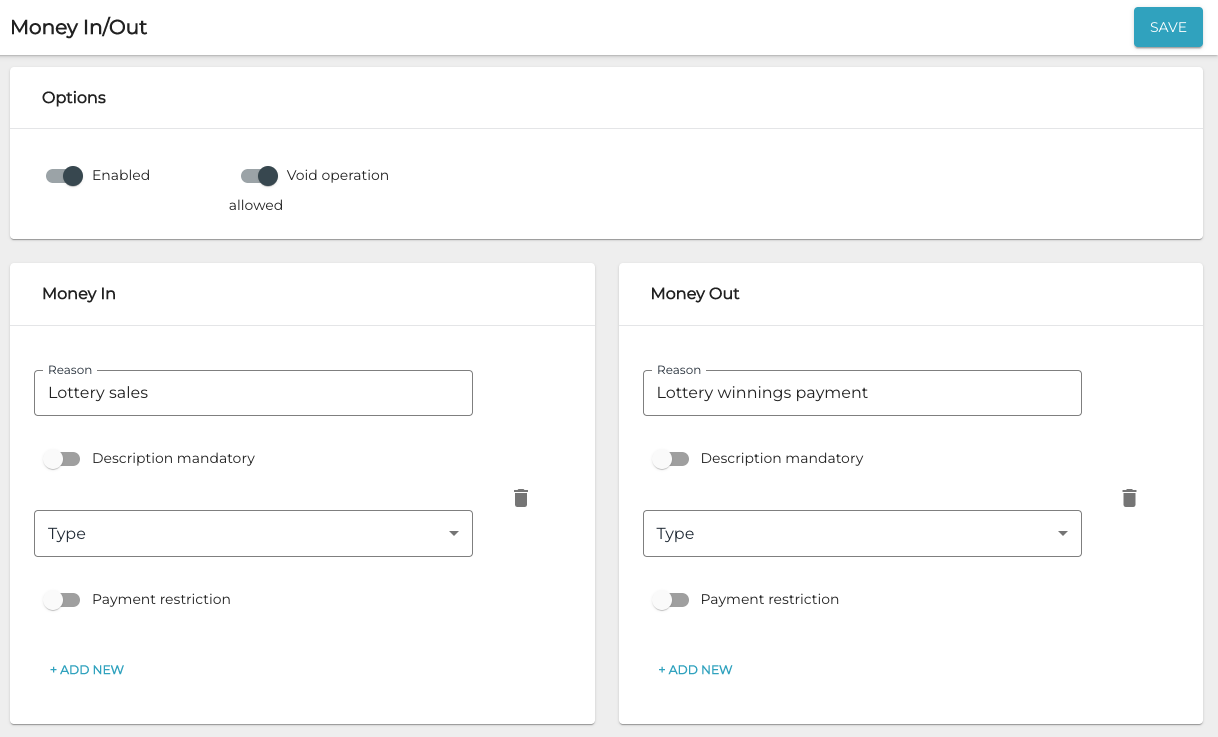
Settings for lottery sales -
Save your changes by clicking Save. The changes will be updated in the POS when you press Refresh.
You can add a Lottery Sales tile to the POS layout by adding a tile which triggers Money In function. For lottery payment winnings, the tile can be created similarly for Money Out function. More information about creating tiles for POS layout
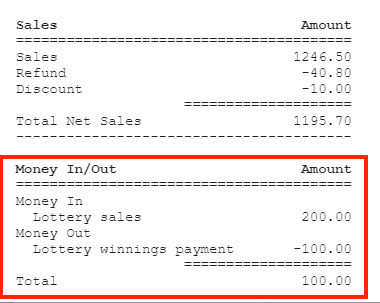
Lottery sales are displayed in X- and Z-reports as in the following example.
In Statistics the lottery sales and payments are displayed in the Other Summary section.