
A product can be exchanged with another product on POS, by adding the originally purchased product as a negative row and the replacement product as a normal row into the Basket.
In order to use this feature, you need to belong to a user group which has the permission to use Negative row POS action.
Exchange a Product
-
Add the returned product to the Basket.
-
Note that you need to do this by using product search instead of scanning/searching the receipt of the original product.
-
-
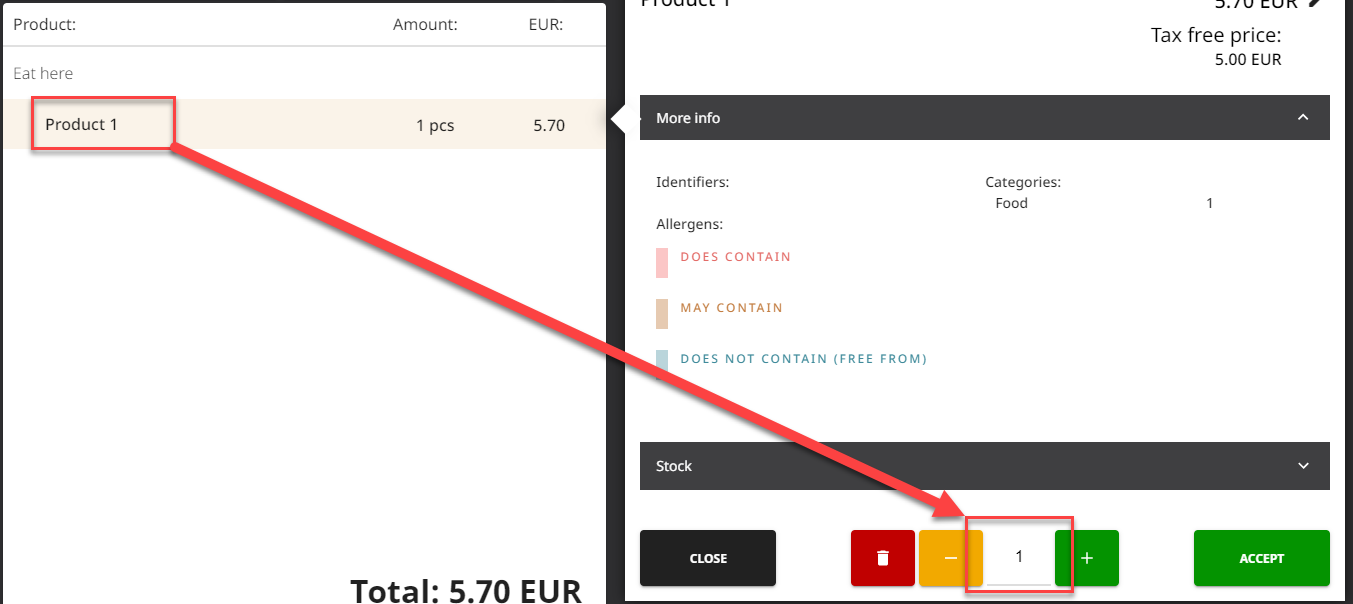
Press the product row and then the Amount field.
-
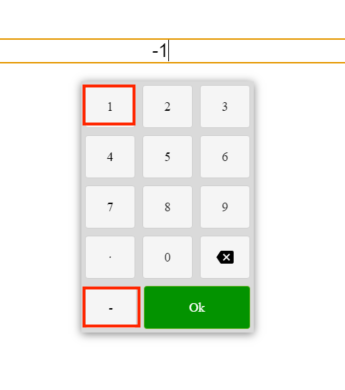
Press the - (minus) key in the keypad, enter the (negative) amount, and press OK.
-
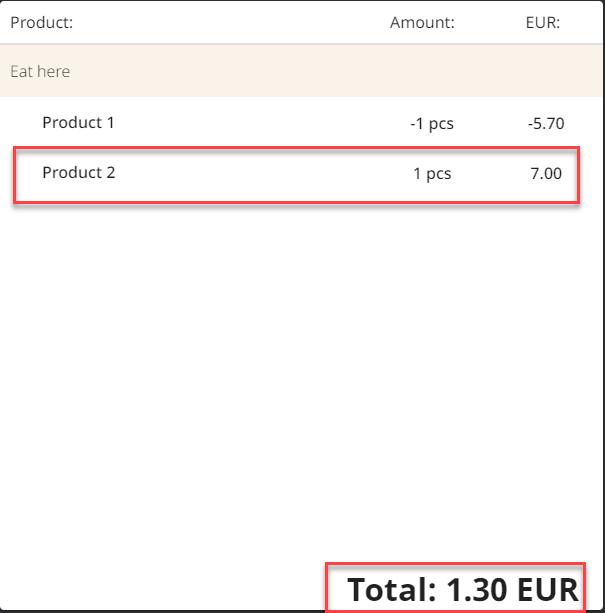
Add the replacement product to the Basket.
-
Based on the price difference between the exchanged products. the system will calculate the amount which needs to be paid by the customer or be refunded to the customer.
-
You can now add other products to the Basket, or proceed to payment.