
Merging the current Basket contents with a parked order with requires that a separate Merge Basket with Parked Order action tile has been added to the POS layout.
-
When there are products in the Basket, press the Merge Basket with Parked Order tile.
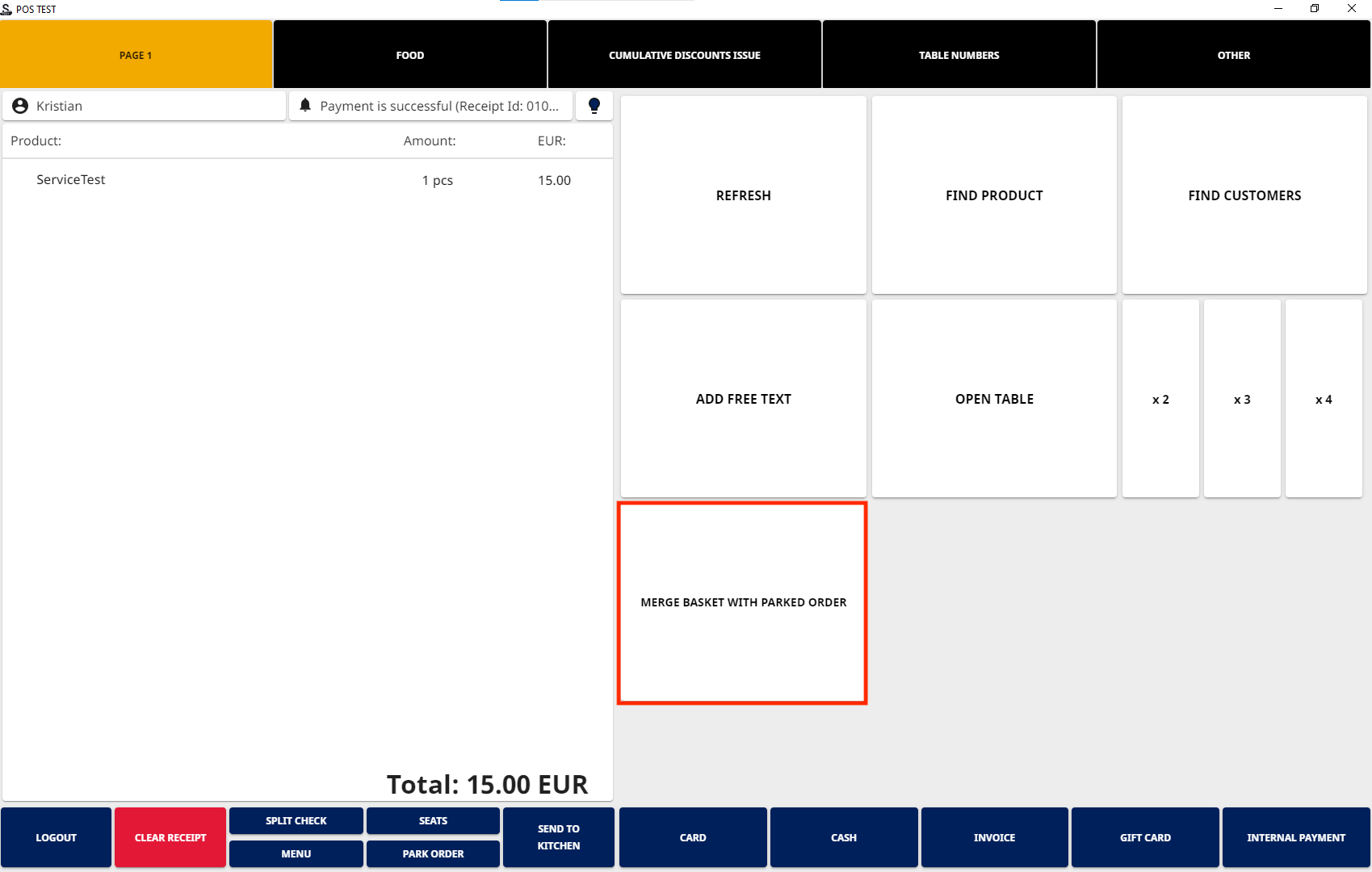
Merge Basket with Parked Orders tile -
Parked Orders view is displayed. Select the parked order you want to merge with the Basket contents, and press the Merge tile.
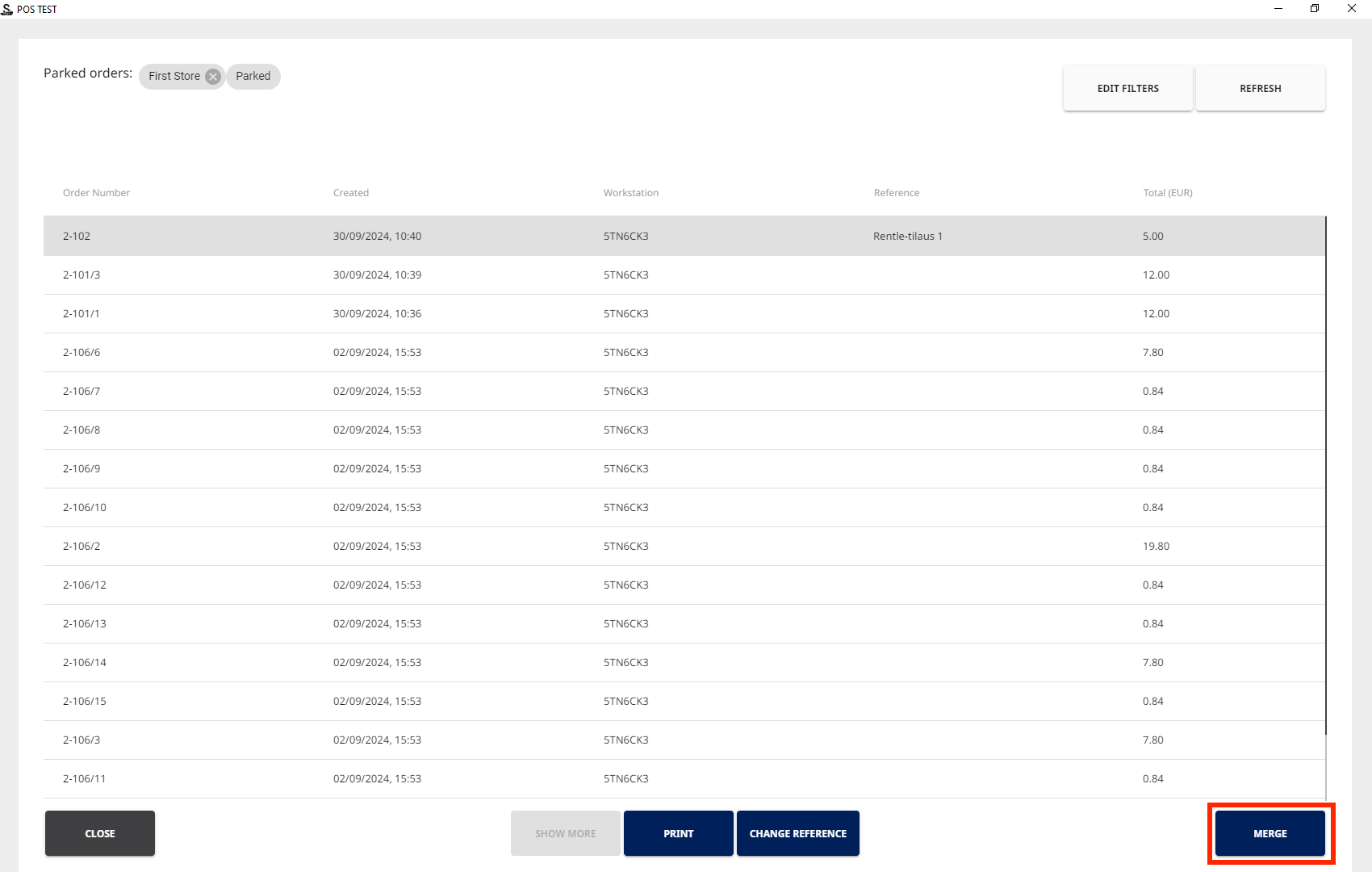
Merge tile in Parked Orders view
-
The products from the previously parked order are now added to the Basket alongside the products previously added to the Basket. You can add additional products to the Basket and/or proceed to payment.
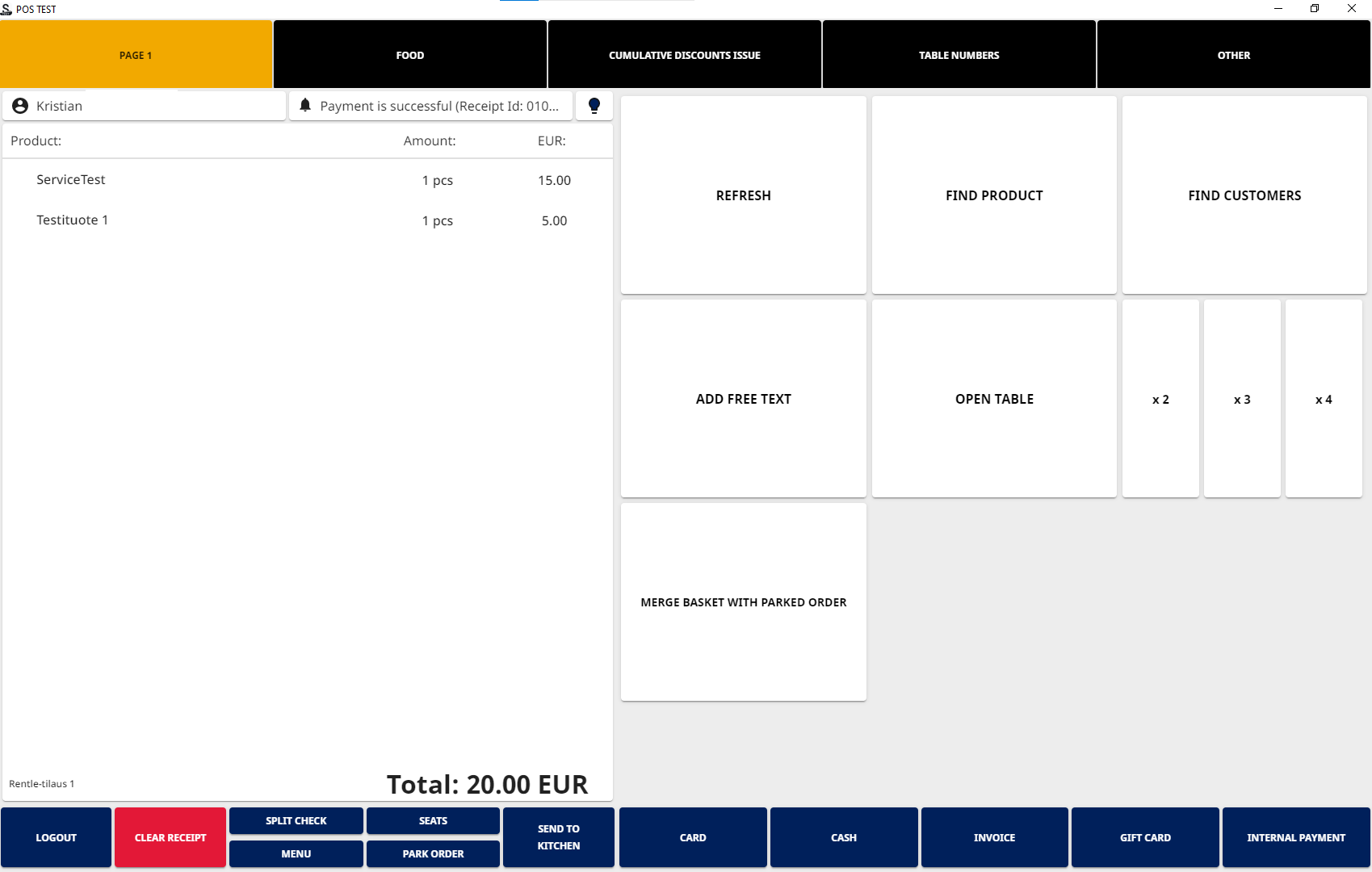
Basked with merged contents
A Basket which has been merged with a parked order cannot be merged again with another parked order.